OpenClaw made a lot of developers ask the same question: if agents can work for hours, why are we still managing them through fragile terminal tabs?
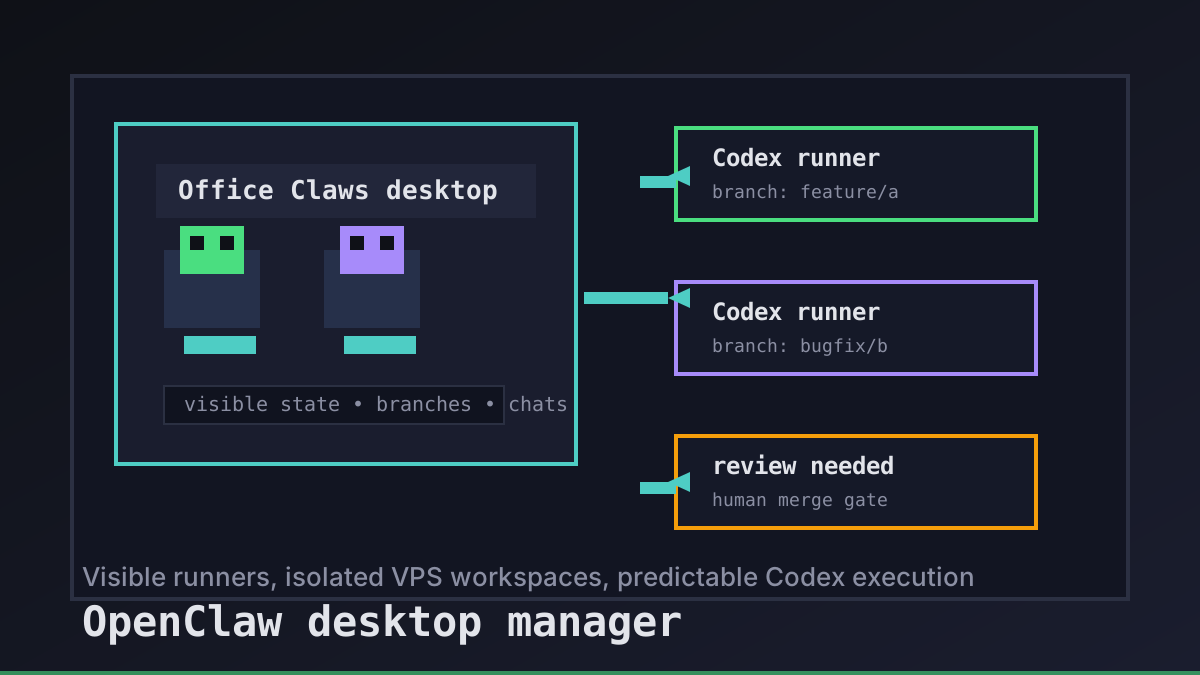
The answer is not “put every agent inside one magic app.” That would be dishonest. Office Claws is not an OpenClaw runtime, and we do not claim native OpenClaw support. The useful desktop layer is narrower: make long-running coding agents visible, isolate their workspaces, and keep the bill shape predictable when a workflow moves from OpenClaw exploration to Codex execution.
The Desktop Layer Should Show State, Not Hide It
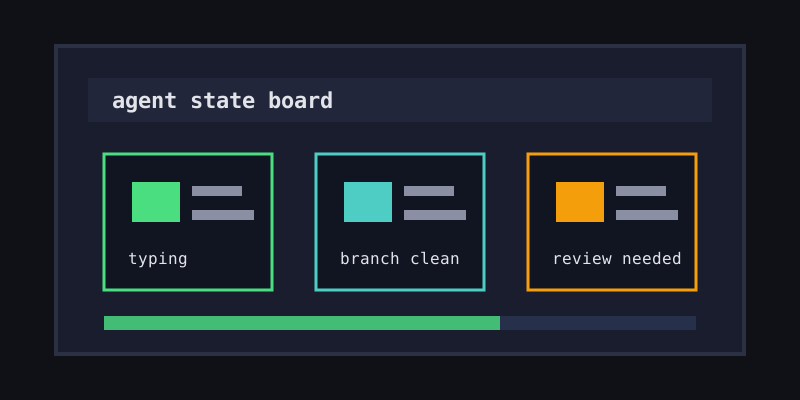
A good OpenClaw desktop manager starts with boring visibility. The app should answer the questions a developer asks every few minutes: which agent is running, which branch is dirty, which runner is unreachable, and which task needs human review?
| Question | Terminal-only workflow | Desktop manager workflow |
|---|---|---|
| Is the agent alive? | Check tmux, SSH, or logs | Status is visible in one screen |
| Which branch changed? | git status per shell | One runner per branch is obvious |
| Can I close my laptop? | Maybe, if the session is remote | Yes, the runner lives on the VPS |
| Where are credentials? | Often scattered locally | Stored locally, injected intentionally |
That is why Office Claws uses a pixel office instead of a wall of logs. The sprites are not decoration; they are a status board. Typing, idle, offline, and stuck states are easier to scan visually than six terminal prompts with similar names.
Keep OpenClaw Exploration Separate From Codex Execution
OpenClaw is broad. It is useful for learning general-agent patterns, testing tool chains, and exploring workflows that are not purely software engineering. Codex is narrower and stronger for repo-centered coding work, especially when the economics come from a ChatGPT subscription instead of a per-token meter.
The clean split looks like this:
OpenClaw locally: explore the workflow, tools, and prompts
Codex on VPS: run repo-focused coding tasks that need persistence
Office Claws: manage the VPS runners, branches, chats, and status
That split matters because it avoids the worst marketing lie in this category: pretending one product runs every agent framework natively. Our OpenClaw vs Codex comparison goes deeper on the tradeoff. The short version is simple: use OpenClaw when the framework is the point; use Codex when the job is shipping code.
What Office Claws Adds Around the Runner
The desktop manager becomes valuable when the agent leaves your laptop. Local sessions are fine for short loops, but they are brittle for overnight fixes, parallel branches, or anything that should survive sleep mode.
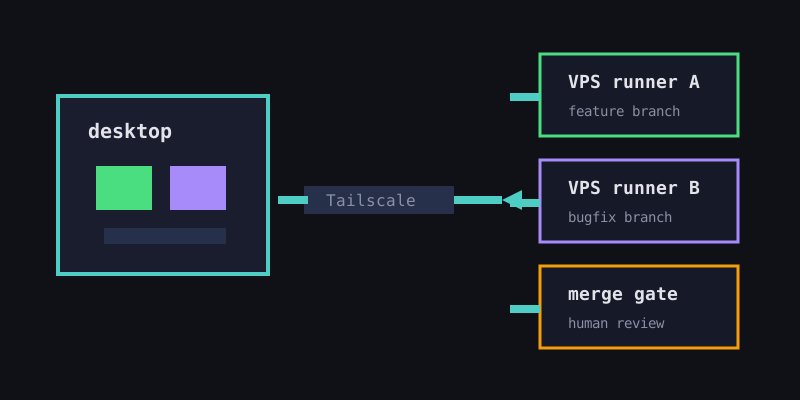
Office Claws focuses on the control plane around that runner:
- Provisioning. Start a VPS from the desktop app instead of hand-building the same environment every time.
- Private networking. Use Tailscale so the runner is reachable without exposing SSH broadly to the internet.
- Local secrets. Keep tokens on the desktop and inject them only during provisioning.
- Multi-agent visibility. Run separate agents on separate branches and see their state without tab hunting.
- Plan choice. Use Self-Hosted at $4.99/month when you want your own DigitalOcean account, or Managed at $14.99/month when you want us to handle the VPS.
That is the honest Office Claws for OpenClaw users pitch: not “we are OpenClaw,” but “we give coding-heavy OpenClaw users a persistent Codex workspace they can actually supervise.”
The Checklist for Choosing a Desktop Manager
If you are evaluating an OpenClaw desktop manager, look for operational clarity before feature count.
| Need | Why it matters |
|---|---|
| One runner per task or branch | Keeps diffs reviewable and rollbacks simple |
| Visible online/offline state | Prevents silent failures during long runs |
| Secure remote access | Avoids public SSH and ad-hoc tunnels |
| Local-first key handling | Limits blast radius if a runner is compromised |
| Predictable billing path | Makes multi-hour coding work safe to leave running |
The last point is the one teams underestimate. A desktop app can make agents feel calm while the bill is still chaotic. For code-heavy work, Codex plus a subscription is often the steadier shape than metered API usage. If your workflow needs OpenClaw-native integrations, keep using OpenClaw. If it mostly reads files, edits code, runs tests, and opens branches, move that slice to Codex on a VPS.
Recommendation
Do not choose a desktop manager because it promises to absorb every agent framework. Choose it because it makes the work observable and safe.
Use OpenClaw locally when you are exploring the broader agent ecosystem. Use Office Claws when the task becomes persistent software work: a Codex runner on a VPS, visible from the desktop, isolated per branch, and connected through Tailscale.
The right desktop manager does not replace judgment. It gives you enough state, isolation, and cost control to use that judgment before the agent runs all night.