Two Ways to Run an Agent
Once an AI coding agent graduates from "a CLI I run on my laptop" to "something that works while I sleep", it needs a home. There are two broad options.
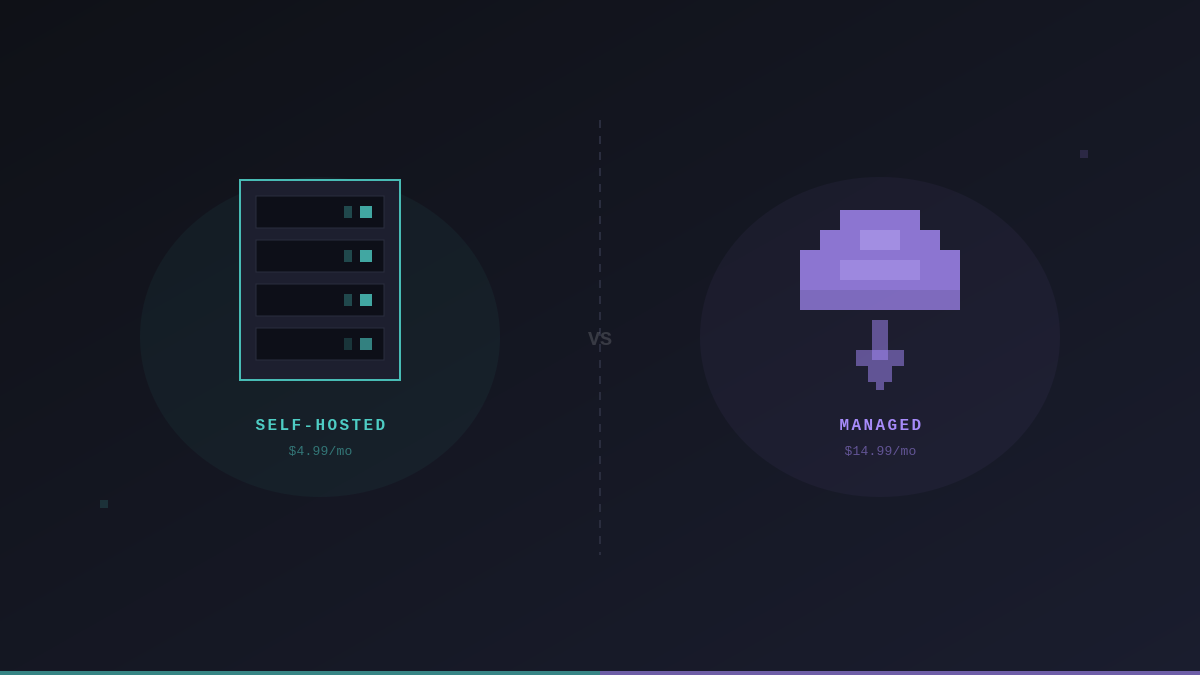
- Self-hosted: the agent runs on a server you rent and control — usually a small VPS — and you decide what is installed, which keys it sees, and when it gets torn down.
- Managed: a hosted agent platform runs the agent in its own cloud. You sign in, connect a repo, and the vendor handles the machines.
Office Claws sits firmly on the self-hosted side: it provisions each agent on its own VPS in your own Contabo account and gives you a CLI and a pixel-art desktop app to run them. That is our bias, so this post tries hard to be fair about when the other side wins.
Run your first agent in about 3 minutes
Install the Office Claws CLI, connect your Contabo account and Codex subscription, and your agent gets its own VPS and a desk in the office.
curl -fsSL https://officeclaws.com/downloads/install.sh | sh$4.99/mo + your own Contabo VPS · keys stay in your keychain
Self-Hosted: Your VPS, Your Rules
Control
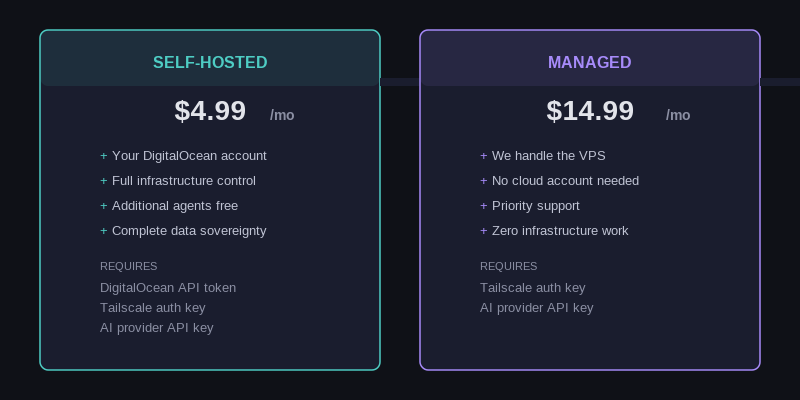
You get root on the box. You can SSH in, read the logs, pin package versions, install the tools your repo needs, and destroy the machine when a task is done. Nothing about the runtime is hidden behind a vendor dashboard. With Office Claws, each agent gets its own VPS and joins your private Tailscale network, so there is no public SSH to defend.
Keys
Credentials stay on infrastructure you own. In Office Claws, your Contabo API credentials and Tailscale auth key live in your local OS keychain, and the agent runs on your own OpenAI Codex (ChatGPT) subscription, connected with officeclaws connect-codex. Your code and the agent's working state sit on your VPS, not in a shared multi-tenant cloud.
Cost
The bill is flat and easy to read: a small Contabo VPS (a few euros a month, paid to Contabo directly), the Office Claws subscription ($4.99/month for the first agent), and the ChatGPT plan you probably already have. No per-seat platform fee, no surprise usage line items from a vendor.
Ops Burden
This is the real price of self-hosting. The box is yours, so its uptime is yours too. Office Claws takes the worst of it away — provisioning from a pre-baked image takes about two to three minutes, and a broken agent is cheaper to reinstall than to debug — but you still need a Contabo account, a Tailscale account, and the willingness to open a terminal now and then.
Managed: Their Cloud, Less to Run
Control
You get what the platform exposes. That is often plenty — repo connections, task queues, review screens — but you generally cannot SSH into the sandbox, change the base image freely, or keep a long-running process alive on your own terms.
Keys
Your code, and usually the credentials needed to work on it, live on the vendor's infrastructure. For many teams that is fine and covered by a DPA. For others — regulated codebases, client work under strict NDAs — it is the deciding factor.
Cost
Managed platforms tend to price per seat, per task, or per unit of compute. That is great when usage is light and bursty, and harder to predict when an agent runs eight hours a day.
Ops Burden
Close to zero. No servers, no networking, no image updates. If nobody on the team wants to think about infrastructure at all, this is the biggest point in managed platforms' favour, and it is a real one.
Quick Comparison
| Self-hosted (e.g. Office Claws) | Managed platform | |
|---|---|---|
| Where the agent runs | Your own VPS | Vendor's cloud |
| Root / SSH access | Yes | Usually no |
| Where credentials live | Your keychain and your VPS | Vendor infrastructure |
| Cost shape | Flat: VPS + subscription | Per seat / per task / usage |
| Setup effort | Some (accounts, CLI) | Minimal |
| Ongoing ops | Yours, but light | Vendor's |
| Long-running 24/7 agents | Natural fit | Depends on the plan |
Our Recommendation
Pick self-hosted if you want agents that run all day on a flat bill, need to know exactly where your code and keys live, or like being able to SSH in and look. That is the case Office Claws is built for: install the CLI, officeclaws subscribe, officeclaws onboard, and your first agent is up on your own Contabo VPS a few minutes later.
Pick a managed platform if your usage is occasional, nobody on the team wants to own a server, or your organisation already has an approved vendor for hosted agents. Paying someone else to carry the ops burden is a perfectly reasonable trade.
Either way, start with one agent on one real task and compare the bill and the friction after a week. The right answer depends far more on your workload than on any feature table.