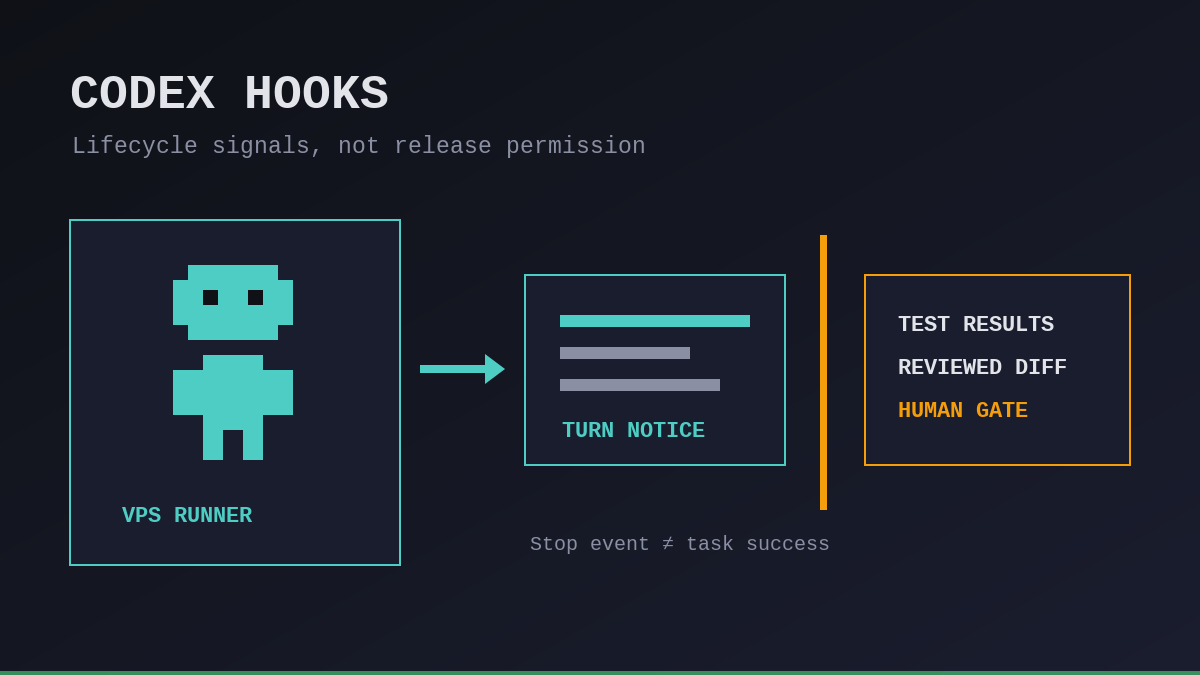
A remote agent stops talking. Did it finish the task, hit a limit, or simply hand control back? We do not want a notification script making that decision for us. Codex hooks can add small, deterministic actions around an agent session, but a lifecycle event is not a release certificate.
We start with a local turn notice: no network request, no transcript upload and no automatic deployment. This is operator-maintained Codex configuration, not a new Office Claws automation feature.
Codex hooks: choose the event before the action
OpenAI's hooks documentation describes events including SessionStart, PreToolUse, PostToolUse, Stop, Interrupt and SessionEnd. We checked the documentation on November 25, 2026; check the installed CLI version and its current docs before rollout.
| Event | Useful signal | What it does not prove |
|---|---|---|
SessionStart | A session started or resumed | The checkout is safe |
PostToolUse | A covered tool call completed | Every action was observed |
Stop | A turn reached its stopping point | Tests passed or the task succeeded |
Interrupt | An active main-thread turn was interrupted | Every subagent stopped |
SessionEnd | The main session ended normally enough to emit it | A crash or host failure was recorded |
Neither a hook nor an agent can reliably report its own host disappearing. Keep an external supervisor for process exit, missing heartbeats and deadlines. Our monitoring guide covers that broader operational problem.
Run your first agent in about 3 minutes
Install the Office Claws CLI, connect your Contabo account and Codex subscription, and your agent gets its own VPS and a desk in the office.
curl -fsSL https://officeclaws.com/downloads/install.sh | sh$4.99/mo + your own Contabo VPS · keys stay in your keychain
Review hooks on the machine that runs Codex
Local Codex discovers system hooks, user hooks at $CODEX_HOME/hooks.json (normally ~/.codex/hooks.json) and trusted project .codex/hooks.json files. Plugins can contribute hooks too. User and system hooks can still load for untrusted projects. A linked Git worktree can read project hooks from the corresponding main-checkout directory: do not assume a fresh worktree means no inherited hooks.
Matching sources combine rather than replacing one another. Registering the same command in two places can execute it twice; matching command hooks for the same event can start concurrently. We use one definition per layer and handlers that remain safe when repeated. Do not design a chain that assumes the first handler prevents the second from starting.
Run codex --version, then open /hooks in an interactive session as the actual VPS runner account. Review the exact source, command and script before trusting it. Changed non-managed definitions require renewed review; managed hooks follow administrator policy. Inspect inherited hooks after upgrades, not just the file you edited. See configuration profiles for the account and configuration-layer boundary.
Start with a bounded local notice
Install a reviewed script at /srv/codex-hooks/turn_notice.py, outside the agent-writable checkout. Protect both script and parent directory from modification by the runner. Save this configuration in the runner's user hooks.json, merging it with any existing reviewed definitions rather than overwriting them:
{
  "hooks": {
    "Stop": [
      {
        "hooks": [
          {
            "type": "command",
            "command": "/usr/bin/python3 /srv/codex-hooks/turn_notice.py",
            "timeout": 3
          }
        ]
      }
    ]
  }
}
The command uses an absolute path, so starting Codex from a subdirectory does not select another script. The three-second timeout bounds the handler, not the entire task. Our deliberately small Python example reads a bounded JSON event and returns a fixed UI/event-stream notice:
import json
import sys

raw = sys.stdin.buffer.read(65537)
if len(raw) > 65536:
    sys.exit(1)
event = json.loads(raw)
if not isinstance(event, dict):
    sys.exit(1)
if event.get("hook_event_name") == "Stop":
    print(json.dumps({"systemMessage": "Turn ended; validation pending."}))
The English message inside the shared example is intentional. It is not a durable log or an alert delivery mechanism. The script does not inspect transcript_path, copy prompts or print arbitrary input. Oversized or malformed input fails the handler; failure must not be reinterpreted as task success. Test the parser without starting an agent:
printf '%s
' '{"hook_event_name":"Stop"}' | /usr/bin/python3 /srv/codex-hooks/turn_notice.py
Then trust the reviewed hook through /hooks and exercise one harmless turn in a disposable repository. Verify the notice, duplicate registrations, an interrupted turn and a failed handler. Hook schemas and event coverage evolve: repeat the fixture after a CLI update. Do not bypass hook trust to make a scheduled job look healthy.
Keep completion and security outside the notice
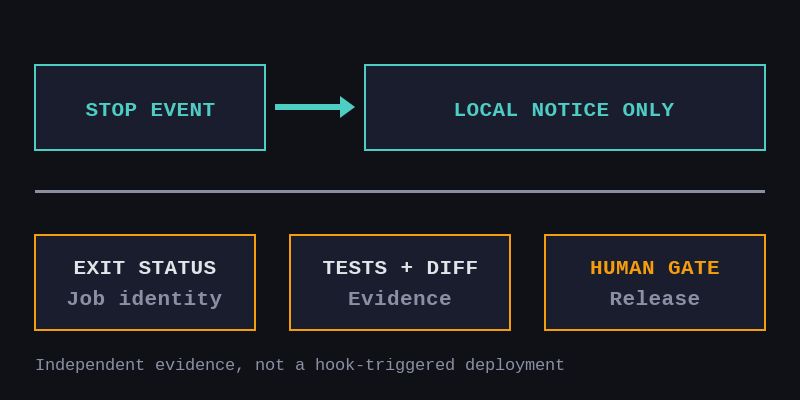
A production launcher should separately retain the job ID, expected branch and commit, process exit status, test results and artifact locations. Release requires the expected diff, successful required checks and a separately authorized merge or deployment. A Stop event cannot substitute for that evidence. If you later add notifications, send only allowlisted fields to an approved destination and make retries bounded and deduplicated.
Hooks are guardrails, not a complete enforcement boundary. Some hosted or specialized tool paths do not invoke local tool hooks; hook errors are not universally fail-closed. Shell scripts and MCP services also bring their own permissions and secrets. Use OS isolation, scoped credentials and Codex sandbox and approval settings, not a callback alone, to restrict the runner.
Office Claws manages Codex agents on your own Contabo VPS with private Tailscale connectivity. An available 24/7 server is not unlimited model usage: the first agent starts at $4.99/month, VPS charges are separate, and supported ChatGPT-plan allowances still apply. Our cost guide separates those bills.
Our recommendation: start with Codex on a VPS, add one reviewed hook, and prove the external completion gate still works when that hook fails. A useful notice explains what happened; it must never grant permission to ship.