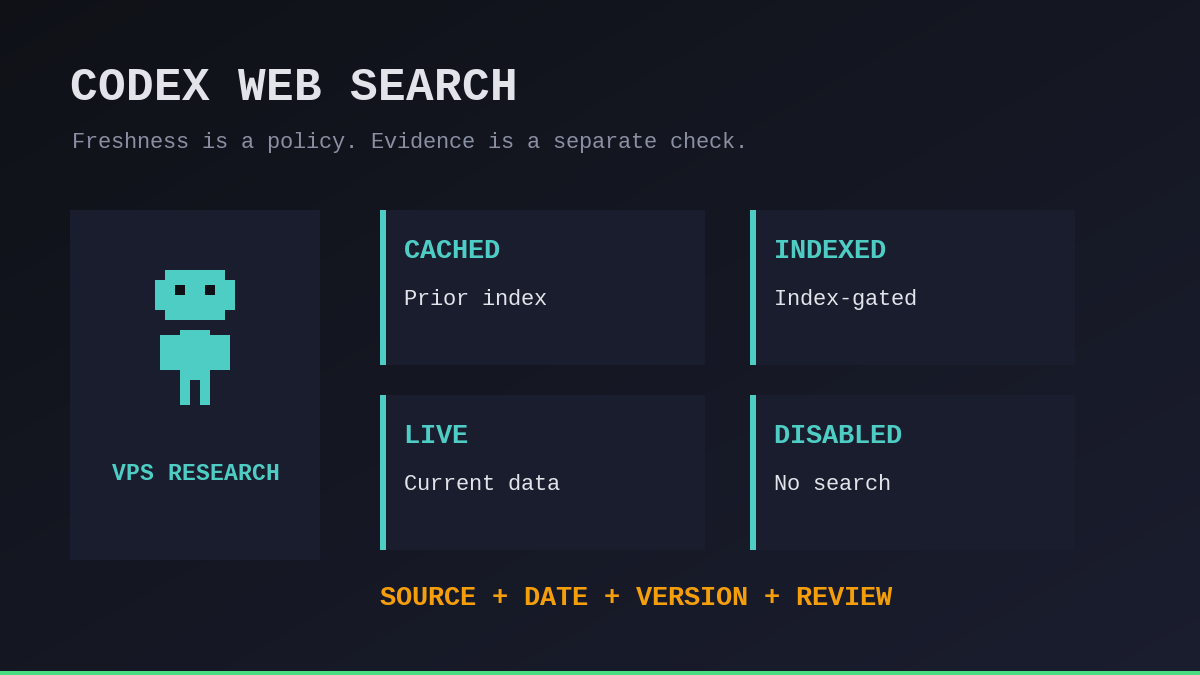
An overnight dependency report can be beautifully formatted and still recommend yesterday's release. For Codex agents running on a VPS, we decide how fresh the evidence must be before starting the job—not after reading a confident answer.
Codex web search has its own configuration. It is not the same permission as letting a shell command download a package. This guide builds a small research workflow around that distinction, using OpenAI's current configuration documentation as the reference. Check your installed version: available modes and defaults can change.
Codex web search: choose freshness deliberately
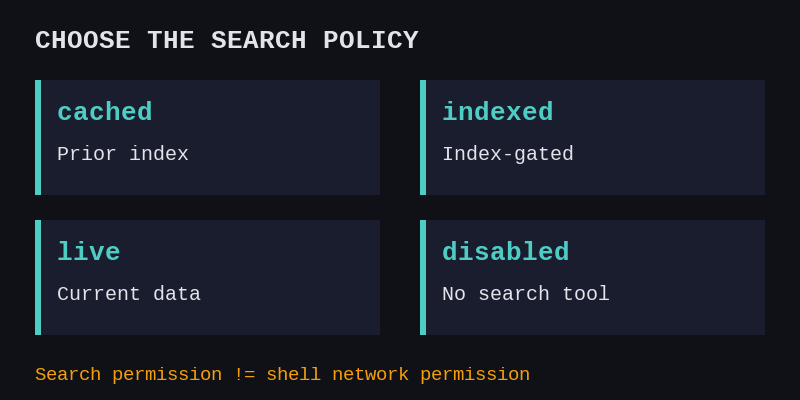
The documented default for local chats is cached search. OpenAI describes this as an index of previously collected web results, not a browser opening every source afresh. Full-access sandbox settings can change the default to live, so we set the mode explicitly instead of relying on inherited behavior.
| Mode | Documented behavior | Useful starting point |
|---|---|---|
cached | Returns pre-indexed search results | Background research where immediate freshness is not essential |
indexed | Permits external web access only when the search index gates the request | Research needing index-gated external access, on versions supporting this mode |
live | Retrieves current web data | Checking release notes or a newly published advisory |
disabled | Turns off the web search tool | Tasks grounded only in supplied repository evidence |
Cached does not mean trustworthy; live does not mean correct. Neither mode guarantees that a particular page is complete, newly updated, or even the right source. We prefer official release notes and security advisories, then verify the dates and affected versions ourselves. Indexed access is not a custom domain allowlist or a blanket trust guarantee.
For a cached default, put the following at the top level of the runner user's ~/.codex/config.toml, outside any table. Edit an existing key rather than adding a duplicate:
web_search = "cached"This is Codex configuration, not an Office Claws setting. Review trusted project overrides, selected profiles and managed requirements; a file on your laptop does not automatically configure the user executing Codex over SSH. Our configuration profiles guide covers those layers.
Run your first agent in about 3 minutes
Install the Office Claws CLI, connect your Contabo account and Codex subscription, and your agent gets its own VPS and a desk in the office.
curl -fsSL https://officeclaws.com/downloads/install.sh | sh$4.99/mo + your own Contabo VPS · keys stay in your keychain
Give each research job an evidence contract
We split two questions: what is in our repository, and what an external publisher currently says. Read the lockfile locally to establish the installed dependency version. Use web search for the publisher's advisory, not as a substitute for inspecting the checkout.
Before a supervised freshness check, inspect the CLI and then launch a read-only session with search explicitly enabled:
codex --version
codex --help
codex --sandbox read-only --ask-for-approval on-request --search
The documented --search flag selects live search. These commands open an interactive session; they are not a scheduler or a recipe for unattended approvals. Keep the host account unprivileged and inspect effective settings before using real repositories. For unattended execution, separately verify your version's codex exec options and sandbox policy.
We ask for an evidence record containing:
- The package and exact installed version, with the local file used to identify it.
- The official source URL, publication/update date when visible, and retrieval time in UTC.
- The search mode requested, plus uncertainty if the active mode could not be confirmed.
- The affected version range and a short explanation connecting it to our installed version.
- A clear unresolved status when the source is missing, contradictory or inaccessible.
Do not let an agent replace a failed lookup with an invented citation. Search can discover an advisory, but we still open and review the primary source before accepting a remediation. Even live results can lag a publisher's latest edit. Retrieval time and publication date are different evidence fields; neither should be guessed.
Keep search separate from command networking
A successful search does not establish that curl, a package manager or a test process has network access. A denied shell request does not establish that search, MCP or connected apps are offline. Those are separate tool paths with separate controls.
Likewise, web_search = "disabled" disables this search tool; it is not a host firewall. If a job must have no external tool access, audit command networking, MCP servers, connectors and host egress independently. Model and authentication traffic remain a separate operational requirement.
We treat every retrieved page as untrusted input. A release note telling the agent to ignore repository instructions, upload credentials or execute a “repair” script is not authorized by appearing in search results. Keep production secrets out of the research account, avoid personal SSH-agent forwarding, and never give a reporting job deployment credentials merely to simplify the workflow.
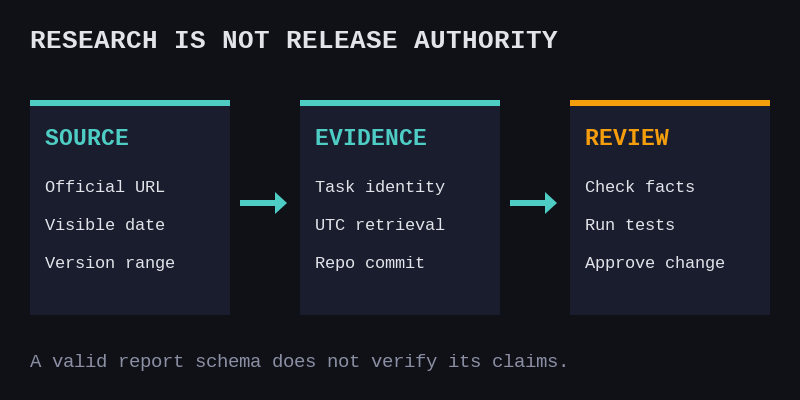
For parallel jobs, maintain a separate evidence record per task. Shared files named latest-report.md make it too easy for one run to overwrite another's findings. Use task-specific output locations and record the repository commit. Structured output can make this handoff machine-readable, but a valid schema does not verify the facts inside it.
Start with a report, not an automatic upgrade
Our first VPS search job would inventory one dependency, find its official release notes, and return a dated report without changing code. If it cannot establish the affected versions, the result is unresolved—not permission to broaden network access or install the newest package blindly.
Only after reviewing the evidence do we start an editing task on its own branch, run project tests and decide whether to merge. Recheck time-sensitive sources before that decision if the report has been waiting. Monitor failed lookups and incomplete evidence separately from process exit status: an agent can finish successfully without answering the research question.
Office Claws provides desktop/CLI management for Codex agents on your own Contabo VPS with private Tailscale connectivity. It does not automatically validate web citations, enforce the evidence contract above or make searched content safe. The server can stay available 24/7; your eligible ChatGPT plan still has usage limits, and parallel research does not create additional capacity.
Start with one Codex VPS runner, check the subscription options, and add agent monitoring before making research recurring. Our recommendation: use the least-fresh mode that satisfies the task, request live evidence when dates matter, and keep the decision to change production separate from the search result.