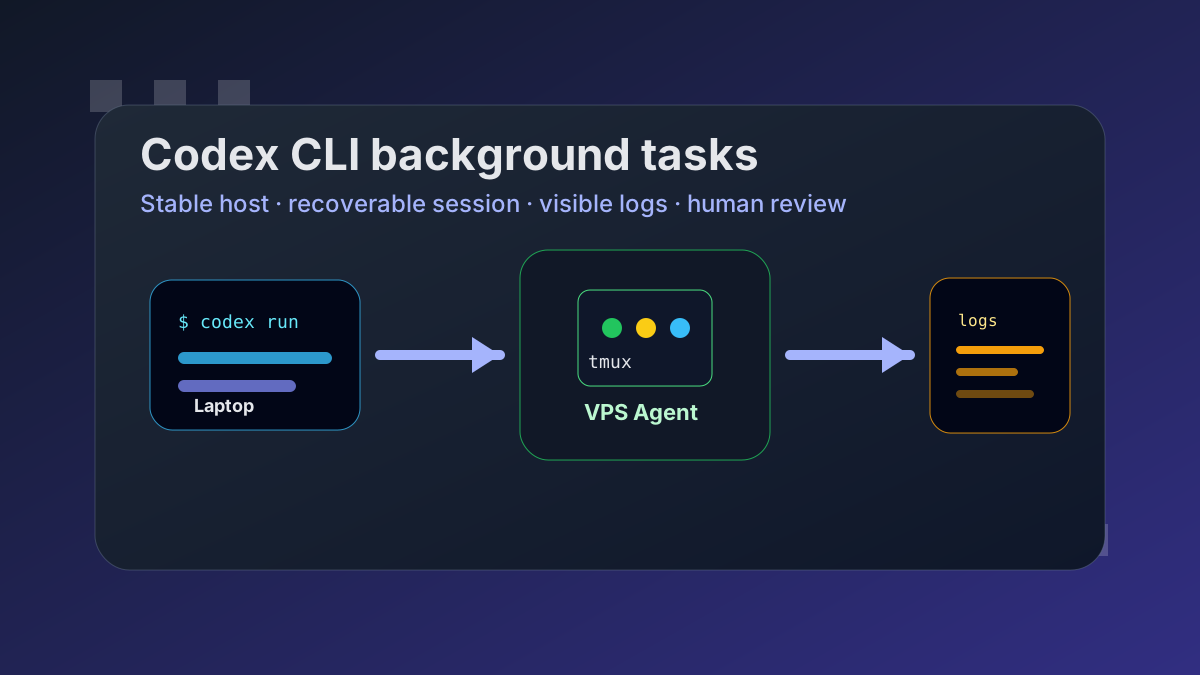
Most useful Codex work does not fit neatly inside one terminal session. A refactor starts small, then the test suite runs for twenty minutes, then the agent needs one more pass after you have already switched networks or closed the laptop.
That is why we treat Codex CLI background tasks as an infrastructure problem, not a prompt trick. The goal is simple: keep the agent work running somewhere stable, keep the human control surface lightweight, and make recovery boring.
The Minimum Reliable Shape
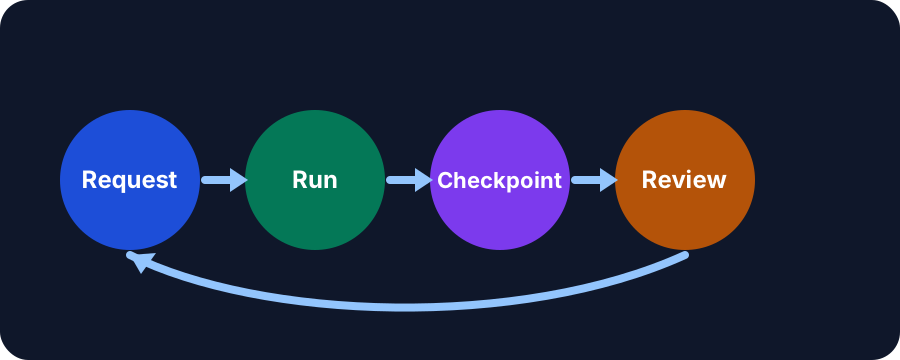
A background Codex task needs four pieces:
| Layer | Job | Failure it prevents |
|---|---|---|
| Persistent host | Run the task on a VPS instead of a laptop shell | Wi-Fi drops, sleep, local CPU contention |
| Session wrapper | Keep the process inside tmux, systemd, or a task runner | Lost terminal means lost work |
| Log stream | Save stdout, stderr, and checkpoints | You can review what happened without guessing |
| Human gate | Require review before pushes, deploys, or deletes | Autonomy stays useful without becoming reckless |
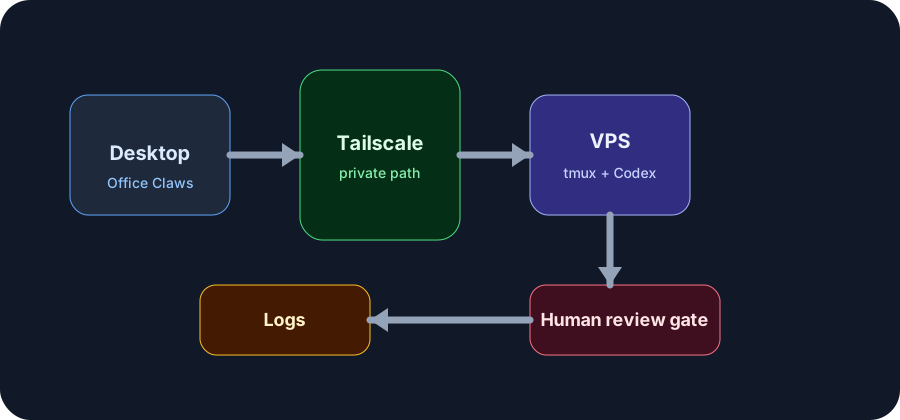
For many teams, the practical version is a small VPS, Tailscale, tmux, a repo checkout, and Codex CLI. Office Claws wraps that same shape in a desktop manager: each agent gets a visible desk, a reachable host, and a place to inspect what is running.
A Baseline tmux Pattern
The simplest pattern is still a good one:
ssh office-claws-agent
cd ~/work/product-api
tmux new -s codex-billing-refactor
codex "refactor invoice generation, run the billing tests, and summarize risky changes"
If the laptop disconnects, reconnect and attach:
ssh office-claws-agent
tmux attach -t codex-billing-refactor
This is not fancy. That is the point. The state lives on the VPS: repo, shell history, test artifacts, logs, and the Codex process. The laptop is only a window.
Make the Task Observable
A background task that cannot be observed is just a slower way to worry. Before starting Codex, decide where output goes:
mkdir -p ~/agent-logs
script -f ~/agent-logs/billing-refactor.$(date +%F-%H%M).log
Then run Codex inside that recorded shell. For longer jobs, ask the agent to leave checkpoints:
PLAN.mdbefore editingSTATUS.mdafter each major phase- test output under
artifacts/ - a final risk summary before commit
Office Claws is designed around this same expectation. The pixel office is friendly, but the operational promise is serious: you should be able to see which agent is active, which one is stuck, and which one needs review.
Give Codex a Narrow Background Brief
Background tasks fail when the instruction is too open-ended. A good brief says what to do, what not to do, and when to stop:
Goal: reduce checkout test flakiness in the payment package.
Allowed: edit tests and helper fixtures, run npm test -- payment.
Not allowed: change production billing logic or push a branch.
Stop and summarize if more than 8 files need changes.
Before finishing: list tests run, files changed, and remaining risks.
That brief is less glamorous than "fix the flaky tests", but it produces better background work because it creates a review boundary.
When to Promote a Task to a Dedicated Agent
Use a normal shell for quick one-offs. Promote the work to a dedicated remote agent when any of these are true:
- The task may run longer than your current session
- The repo is large enough that local indexing and tests are annoying
- You need to run two Codex jobs in parallel
- The work touches credentials or infrastructure and needs isolation
- You want a durable audit trail for what the agent tried
That is where a desktop manager helps. Office Claws provisions the host, connects it through Tailscale, and gives you a visual control plane so background Codex work does not disappear into unnamed terminals.
Guardrails That Matter
For Codex CLI background tasks, the most useful guardrails are boring:
- Run on a disposable or rebuildable VPS.
- Keep secrets scoped to that task or repository.
- Require human review before external writes.
- Save logs by default.
- Prefer one agent per host when the work is risky.
If you are comparing the broader ecosystem, our OpenClaw vs Codex comparison explains why many teams are moving long-running workflows toward Codex-on-their-own-infrastructure. If you already know you want that shape, the Office Claws pricing page shows the self-hosted and managed options.
The Takeaway
Codex CLI is powerful in the foreground. It becomes much more useful when background work has a stable host, a recoverable session, clear logs, and a review gate. Do that first. Add orchestration later.