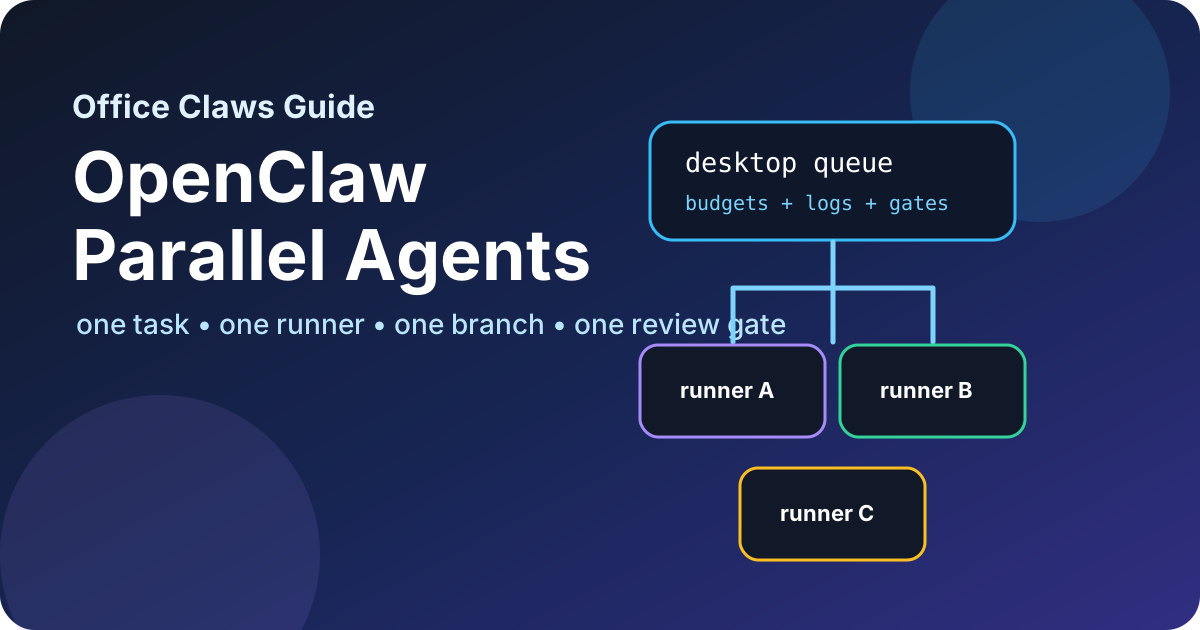
Why OpenClaw Parallel Agents Need Rules
OpenClaw-style workflows make it tempting to launch five agents and let them race. That works only when each agent has a clear lane. Without isolation, parallel agents overwrite each other's files, burn tokens on duplicate research, and leave reviewers with one giant diff that nobody trusts.
Office Claws is not a native OpenClaw runtime. The useful pattern is operational: keep OpenClaw-adjacent tasks visible from a desktop control layer, run risky work on isolated VPS runners, and use Codex-backed execution where that is the practical path. If you are choosing the runtime model first, compare OpenClaw vs Codex, then use this guide to scale the runner layer safely.
The Safe OpenClaw Parallel Agents Model
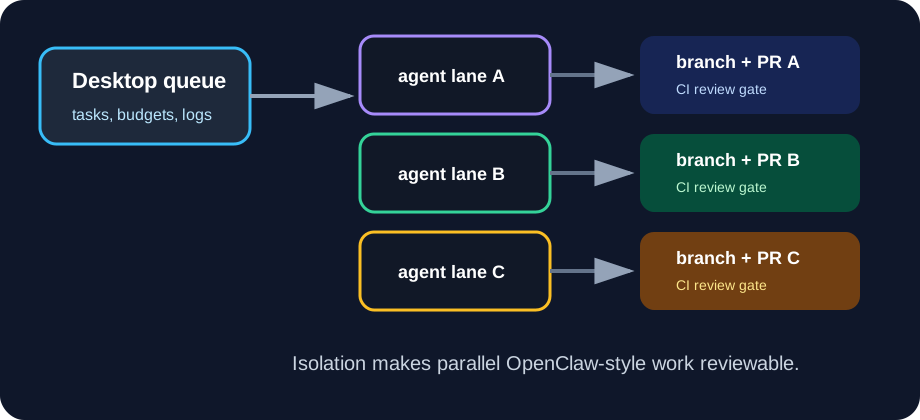
The baseline rule is simple: one task, one runner, one branch, one review gate. Parallelism should increase throughput, not hide risk.
Office Claws for OpenClaw users fits this model as an operator layer: start tasks from the desktop, assign each task to a local or VPS runner, stream logs, enforce budgets, and keep credentials local whenever possible. For the broader control-plane pattern, see the OpenClaw desktop manager guide and the OpenClaw on VPS architecture.
| Layer | Safe pattern | Failure if skipped |
|---|---|---|
| Worktree | One clean checkout or worktree per agent | agents overwrite files or rebase each other |
| Branch | One branch per task | review cannot separate intent |
| Runner | One process/container/VM boundary per task class | secrets, caches, and failures leak across jobs |
| Budget | Runtime and token limit before launch | long-running loops become expensive silently |
| Review gate | CI, diff summary, and human approval | parallel changes merge before anyone understands them |
When to Run Agents in Parallel
Use parallel agents when work can be split by ownership boundary:
- One agent fixes backend validation while another updates docs.
- One agent writes tests while another investigates a flaky path.
- One agent prepares a migration branch while another builds rollback notes.
- One agent handles localization after the English source is stable.
Avoid parallelism when tasks touch the same files, same database migration, same release credentials, or same production incident. In those cases, serial work is usually faster because it avoids conflict repair.
Launch Checklist
Before starting OpenClaw parallel agents, write down the contract for each lane:
agent: docs-runner-02
task: refresh-openclaw-vps-guide
branch: docs/openclaw-vps-refresh
allowed_paths:
  - website/content/blog/openclaw-on-vps*.md
  - website/public/blog/inline/openclaw-vps-*.svg
budget:
  max_runtime_minutes: 45
  max_tokens: medium
review_gate:
  - npx velite build
  - npm run build
  - pull_request_required
This tiny manifest prevents the most common failure: an agent "helpfully" editing adjacent code because it noticed something interesting. Parallel agents should be useful specialists, not unsupervised repo tourists.
Review Gates for Parallel Work
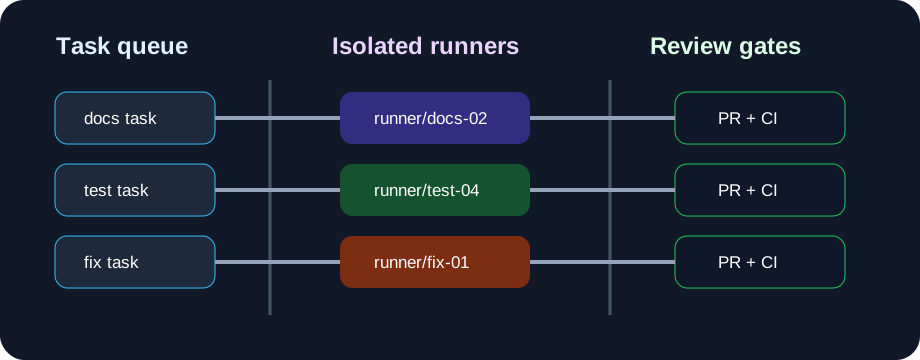
Parallel work fails at merge time unless every branch produces evidence. Require each agent to finish with:
- A concise summary of intent and changed files.
- The branch name and commit hash.
- Validation output, including failures.
- Known risks or files intentionally left untouched.
- A PR or compare URL for human review.
For teams, this maps well to GitHub: one issue or task card per lane, one branch per agent, one PR per branch. The OpenClaw GitHub workflow article covers branch naming, CI, and review gates in more detail.
Failure Modes to Watch
| Failure mode | Early signal | Safer response |
|---|---|---|
| Duplicate work | two agents edit the same component | pause one agent and re-scope ownership |
| Diff sprawl | branch touches unrelated files | stop, summarize, and split a new branch |
| Hidden wait | no useful log output for 10 minutes | ask for status or terminate preserving logs |
| Secret exposure | runner requests broad tokens | keep credentials local or use scoped temporary access |
| Merge pileup | many green branches wait at once | merge smallest dependency-free branches first |
These are operations problems, not model-intelligence problems. Better orchestration beats a bigger prompt.
Recommended Office Claws Setup
A practical OpenClaw parallel agents setup looks like this:
- Create task lanes from the desktop queue.
- Assign each lane to a local worktree or isolated VPS runner.
- Push a branch early so CI and humans can see progress.
- Stream logs and heartbeat status back to the desktop.
- Enforce per-task budgets and path boundaries.
- Merge only through PR review after validation passes.
Office Claws helps run this model with desktop management, VPS runner provisioning and monitoring, Codex-backed execution, and safer local key handling. The honest value is not pretending to own OpenClaw; it is giving OpenClaw users a dependable operating layer for the parallel agent work they already want to run.
Related Reading
- OpenClaw vs Codex — compare runtime and operating models.
- Office Claws for OpenClaw users — desktop management for agent work.
- OpenClaw monitoring — logs, health checks, and stuck-agent recovery.
- OpenClaw sandbox — per-task isolation and blast-radius reduction.