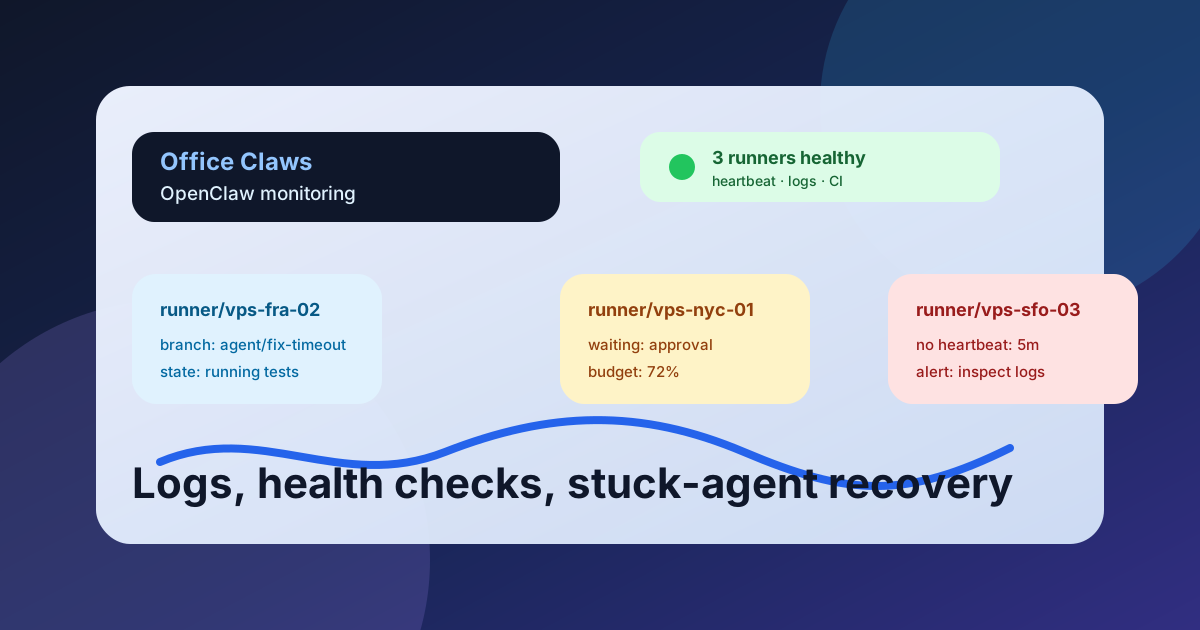
Why OpenClaw Monitoring Matters
OpenClaw-style agents are valuable because they keep working while you leave the terminal. That also means failures become quieter: a runner can burn tokens, wait on a prompt, lose SSH, or keep editing after the useful work is done. Monitoring is the difference between autonomous coding and an expensive mystery process.
Office Claws is not a native OpenClaw runtime. The operating pattern still applies: keep each OpenClaw-adjacent task visible from the desktop, run risky work on isolated VPS runners, and use Codex-backed execution when that is the practical path. If you are comparing runtimes, start with OpenClaw vs Codex, then use this monitoring layer around the runner you actually deploy.
The OpenClaw Monitoring Stack
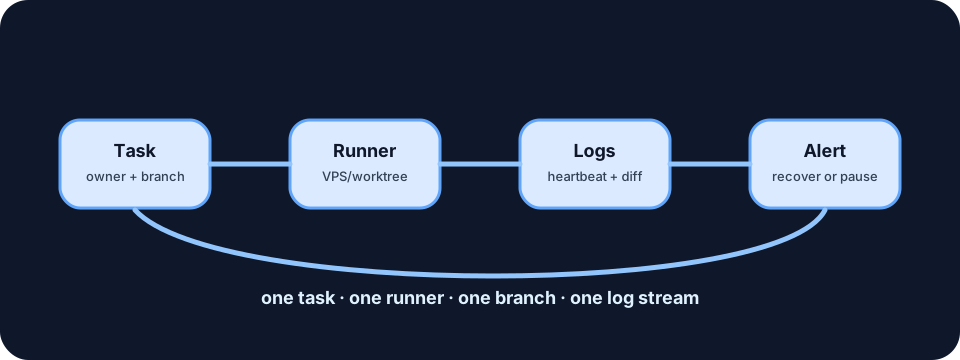
A useful monitoring stack does not start with dashboards. It starts with the questions a human needs answered quickly:
- Which agent owns this task?
- Which machine is it running on?
- What branch or worktree is changing?
- When did it last produce useful output?
- Is it waiting, stuck, failing, or finished?
Office Claws for OpenClaw users focuses on that operator view: local desktop control, VPS runner provisioning, log streams, and safer local key handling. For the runner architecture behind it, see OpenClaw on VPS and the OpenClaw desktop manager page.
| Signal | Healthy pattern | Alert when | Recovery action |
|---|---|---|---|
| Heartbeat | Updates every 30-90 seconds | No update for 3-5 minutes | Check SSH, restart runner, preserve logs |
| Log stream | New semantic progress | Repeated retries or no output | Ask for status or pause task |
| Git diff | Focused files changing | Broad unrelated edits | stop and review branch |
| Token/time spend | Matches task size | Spend climbs without commits | summarize and checkpoint |
| Exit state | Clear success/failure | Process disappears | inspect logs before rerun |
The goal is not to watch every line. The goal is to catch the few states that need a human decision.
Logs That Are Actually Useful
Raw terminal scrollback is better than nothing, but it is a poor monitoring interface. For OpenClaw-style work, log events should be structured enough to reconstruct the task:
{
  "task": "fix-checkout-timeout",
  "runner": "vps-fra-02",
  "branch": "agent/fix-checkout-timeout",
  "state": "running",
  "last_output_at": "2026-06-15T10:14:30Z",
  "changed_files": 6,
  "current_step": "running npm test"
}
That small event tells you whether the agent is alive, where to look, and what evidence to review. It also lets the desktop layer show status without exposing provider keys or release credentials on the runner.
Stuck-Agent Recovery Playbook
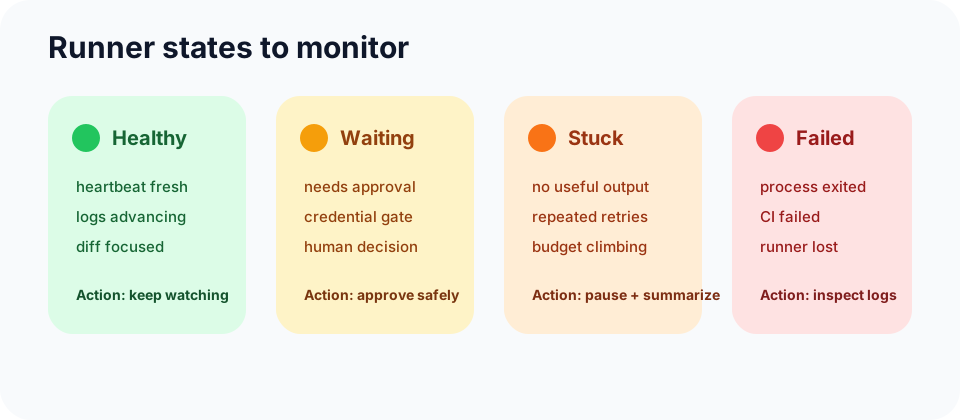
Most stuck agents fall into a few boring categories. Treat them as operations incidents, not mysteries.
- No heartbeat, process alive. Capture the log tail, SSH into the runner, and check CPU, disk, network, and package-manager locks.
- Repeating the same command. Pause the task, ask for a concise state summary, then restart from the last clean commit if needed.
- Waiting for credentials or approval. Keep secrets local. Do not paste broad tokens into the remote runner. Use scoped credentials or finish that step manually.
- Large unrelated diff. Stop the runner and inspect the branch before more edits land.
- Green local result, failing CI. Push the branch and let CI be the neutral source of truth.
This is where monitoring connects to security. OpenClaw security best practices covers key handling and runner isolation; monitoring makes those controls visible during real work.
Alert Rules for OpenClaw-Style Teams
Do not alert on every warning. Alert when a person can make a useful decision:
- No heartbeat for five minutes on an active task.
- No log output for ten minutes during a command that usually streams.
- Token or runtime budget exceeds the task limit.
- Git diff touches secrets, deploy files, billing code, or migrations.
- Runner exits without a final summary.
- CI fails after the agent claimed success.
For a solo developer, those alerts can be desktop badges. For a team, send them to the PR, issue, or chat thread that owns the task. The important part is correlation: one task, one runner, one branch, one log stream.
Recommended Office Claws Setup
Use this baseline for OpenClaw-adjacent monitoring:
- Launch each task on an isolated runner or worktree.
- Stream logs back to the desktop view.
- Record heartbeat, branch, changed files, and current command.
- Set runtime and token budgets before the task starts.
- Push a branch early so CI and humans can inspect progress.
- Keep provider keys and release credentials local whenever possible.
Office Claws helps teams run this model with desktop management, VPS runner monitoring, Codex-backed execution, and safer local key handling. It does not need to pretend to be OpenClaw to be useful to OpenClaw users: it gives the operator layer that makes autonomous coding work reviewable.
Related Reading
- OpenClaw vs Codex — compare runtime and operating models.
- Office Claws for OpenClaw users — local desktop management for agent work.
- OpenClaw GitHub Workflow — branches, PRs, CI, and review gates.