What the 28K Incident Actually Showed
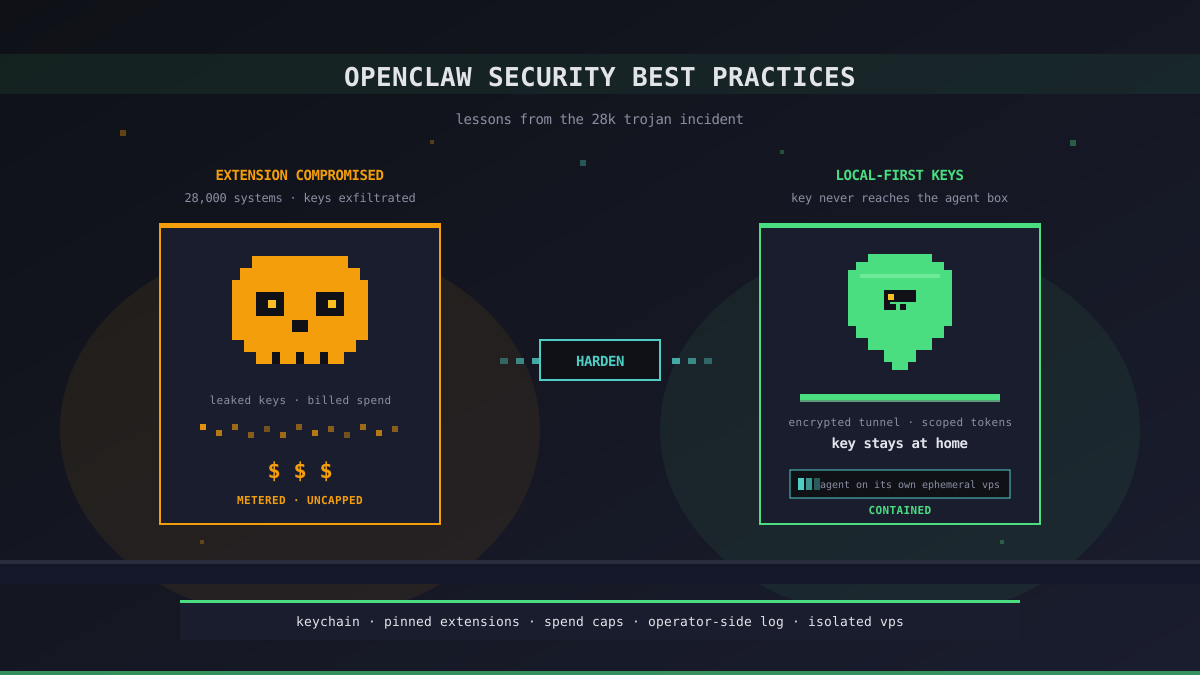
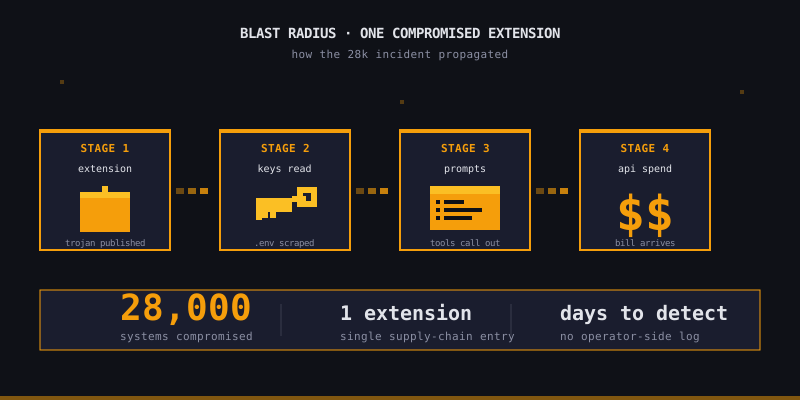
The "28K" number that travelled around the OpenClaw community in April was the count of systems a single malicious package compromised before anyone noticed. The trojan rode in through a popular OpenClaw extension, harvested any API keys it could reach, and quietly committed itself into agent prompts that ran for the rest of the week.
It did not get there because OpenClaw is "insecure." It got there because most OpenClaw deployments are configured the way most developer tools are configured: keys in environment variables, agents running on the developer's laptop, extensions installed on trust, and no audit log between "the agent did a thing" and "the bill arrived." Every one of those defaults is fine on its own. Stacked, they form the exact threat model the trojan was written for.
This post is not a feature post. Office Claws is not an OpenClaw runtime — we are a Codex-first desktop manager, and most of the controls below apply equally to either agent. What we want to lay out is the threat model OpenClaw users actually face after this incident, and the boring local-first practices that make the next one a non-event.
The Threat Model OpenClaw Users Actually Have
Three things make agent platforms a juicier target than a normal dev tool, and OpenClaw is not an exception to any of them.
- Keys are worth real money. A leaked OpenAI or Anthropic key is not just a credential — it is a metered ATM. An attacker can burn $5,000 on a key in a weekend before the bill alerts trigger.
- Agents have hands. An agent with shell access can read your codebase, push to your repos, and run scripts as you. A trojan inside the agent's prompt or tool list can do the same things.
- The supply chain is wide. Every extension, MCP server, or "community pack" you install runs in the same trust zone as the agent. An OpenClaw setup with twelve extensions has twelve potential entry points.
Any practice that does not address at least one of those three is decoration.
| Risk | Bad default | Boring control that works |
|---|---|---|
| Key exfiltration | Keys in .env next to source | Local OS keychain, short-lived rotation |
| Agent on laptop with full access | One uid, one filesystem | Agent on its own VPS, scoped tokens |
| Extension supply chain | Auto-update, no review | Pin versions, read the diff, no auto-install |
| Invisible spend | API bill arrives at month-end | Per-agent spend cap + daily monitoring |
Five Controls That Actually Move the Needle
1. Keys Stay on the Operator's Machine
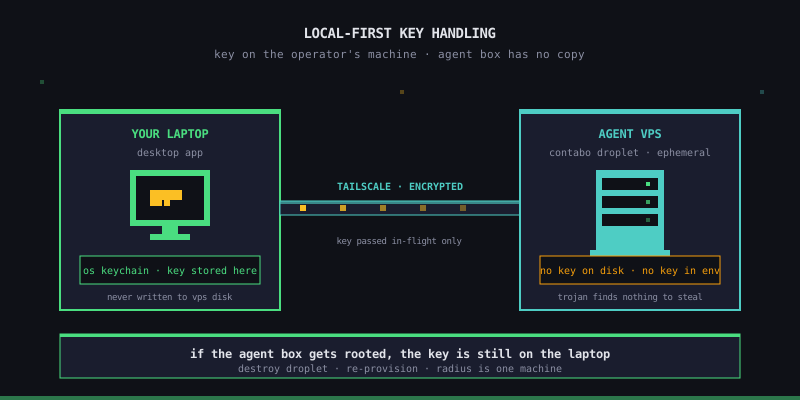
The single highest-leverage control after this incident is also the oldest: do not ship the secret to the place running the untrusted code. In Office Claws, your provider keys live in your desktop app's local store. They are passed to the agent over an encrypted Tailscale tunnel only when the agent calls a provider, and never written to the VPS disk. If a trojan lands on the agent box, it does not find the key — because the key was never there.
If you stay on OpenClaw, the equivalent is moving keys out of project .env files into your OS keychain (Keychain on macOS, secret-tool on Linux, DPAPI on Windows) and reading them at session start. It is annoying. It is also the difference between "compromised" and "vaguely embarrassing."
2. The Agent Lives Somewhere Else
Running the agent on the same machine as your source tree means a single compromise reaches everything. Running it on a VPS — your own Contabo box for a few euros a month — turns most attacks into "the attacker rooted a single ephemeral droplet." That droplet has no SSH keys for your other repos, no browser session for your bank, and no access to your team's Slack. You destroy and re-provision; the radius is one machine.
This is the model we ship. Self-hosted Office Claws provisions a Contabo droplet from a pre-baked snapshot in under three minutes; the agent runs there, your laptop talks to it through Tailscale.
3. Pin Every Extension You Install
The 28K trojan was a supply-chain attack. Auto-updating community extensions is the OpenClaw equivalent of curl | bash. Pin versions. Read the diff before bumping. Treat any extension that asks for "all tools, all directories" the way you would treat a browser extension that asks to read every page — with a long pause and a smaller alternative.
Two practical rules:
- An extension that needs network egress to a domain you have never heard of is a no.
- An extension whose maintainer's GitHub history is three commits old is a no.
4. Cap Spend at the Provider
Every supported provider has a per-key spend cap. Set one. The 28K trojan was profitable because nobody noticed until the bill landed; the same trojan against a key with a $50/day cap is a nuisance, not an incident. Office Claws shows your per-agent token burn in the desktop app, but the authoritative defence is the cap you set on OpenAI's or Anthropic's side. We cannot enforce it for you and would not want to.
5. Have an Audit Log You Did Not Write
If your only record of "what the agent did" is the agent's own scrollback, you have no record. Every agent prompt and tool call should land somewhere you control: the gateway log on the agent VPS, a Loki/Grafana stack you run, or — for managed plans — the activity feed in the desktop app. The point is not to read it daily. The point is that after an incident, you can answer "what did this key touch" in minutes, not weeks.
What This Looks Like in Practice
Concretely, an OpenClaw user who took the incident seriously came out of April with roughly this stack:
laptop  ── Tailscale ──► VPS (one per agent)
  │                       │
  │                       ├─ agent runtime
  │                       ├─ pinned extensions
  │                       └─ gateway log → operator-side
  │
  ├─ keys in OS keychain (NOT in .env)
  ├─ provider spend cap set per key
  └─ desktop app showing per-agent token burn
That is the same stack Office Claws ships by default for Codex agents. If you migrated off OpenClaw after the subscription block, you got the security posture as a side effect of the cost migration. If you stayed on OpenClaw, the architecture above is still reachable — it is just on you to wire it up.
Recommendations
- Move keys out of
.envtoday. Even if you do nothing else from this list, the next leaked extension cannot exfiltrate a key it cannot read. - Set spend caps before tomorrow's coding session. Five minutes at the provider dashboard. The single highest-ROI control on this page.
- Audit your installed extensions. Anything you do not actively use, uninstall. Anything you do use, pin to a known-good commit.
- Move the agent off your laptop. Whether that is OpenClaw on a self-hosted box or Codex on Office Claws, the laptop is the wrong place for a long-running agent with shell access.
- Keep one operator-side log. It does not need to be fancy. It needs to exist before the next incident, not after.
The 28K incident was not the last one. Agent platforms are now lucrative enough that "supply chain → key → bill" is a business model, not a fluke. The controls above do not stop that. They make the blast radius small enough that the next one is a Friday-afternoon ticket instead of a weekend war room.
Related Reading
- OpenClaw Subscription Blocked? The Codex Migration Path That Keeps Your Agents Running — the cost half of the same migration story
- AI Agent Security: How Office Claws Keeps Your Keys Safe — the architecture detail behind local-first key handling
- Self-Hosted vs Managed — picking the plan that matches the threat model above, with pricing here