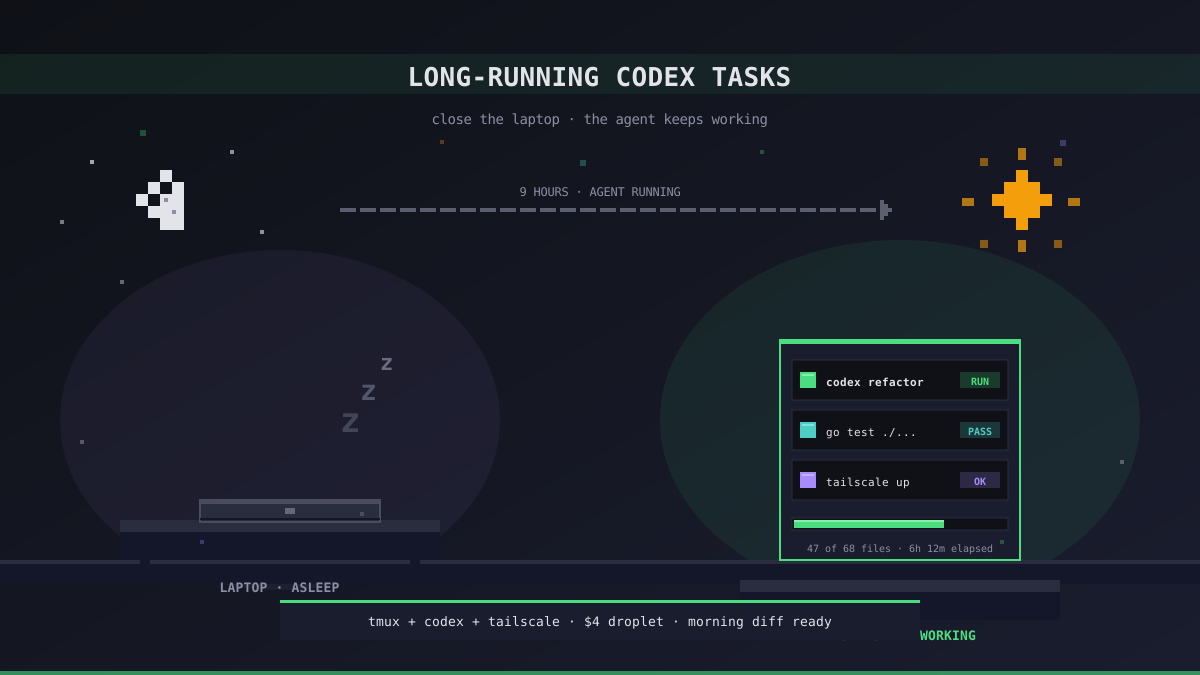
The Tasks That Do Not Fit on a Laptop
Most Codex work is short. Ask a question, wait twenty seconds, get a patch. You do that a hundred times a day, and a laptop handles it fine.
The tasks that blow up the laptop model look different. An overnight refactor that rewrites fifty files and runs the test suite after each pass. A batch review where the agent reads every open PR, writes a summary, and posts it to Slack. A documentation sweep that walks the codebase for two hours and produces a fresh reference. These are not chat turns — they are jobs, and they measure their runtime in hours.
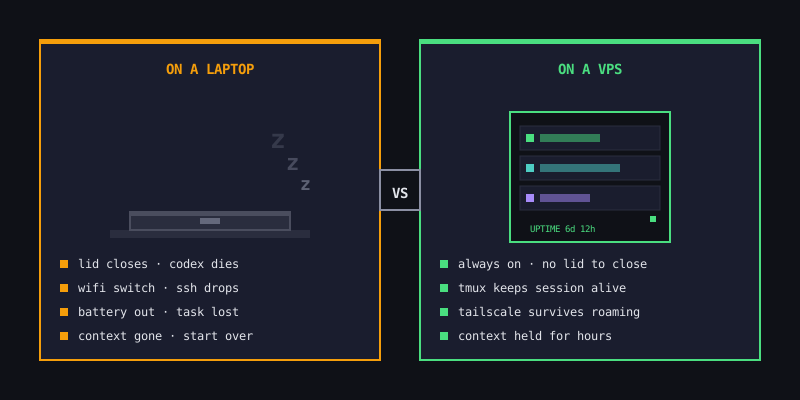
The laptop fails all of them in the same way. You close the lid, switch WiFi, or the battery dies on a train, and the Codex CLI process goes with it. Whatever context the agent had built up vanishes. You come back in the morning to find a dead terminal and nothing to show for the six hours you wanted to run it.
What "Long-Running" Actually Means for Codex
A Codex task is long-running when any one of the following is true:
- Wall-clock exceeds a typical laptop session. Anything over ~2 hours will run into sleep, a commute, or a meeting where you close the lid
- The task has to survive network transitions. Coffee shop → home → office means your laptop's IP changes three times; every transition can drop the Codex session
- It depends on state the agent built earlier. If the agent has spent an hour reading and summarizing files, losing that context costs you the hour, not just the last request
- You want the agent to react to external events. GitHub webhooks, cron triggers, a file dropping into S3 — those do not wait for you to reopen your laptop
Once a task crosses any of those lines, you need a host that stays online when you do not.
Four Patterns We See Hold Up for Hours
Every long-running Codex workflow we run at Office Claws fits one of four shapes. None of them work on a laptop, all of them work on a VPS.
| Pattern | Typical runtime | What breaks on a laptop |
|---|---|---|
| Overnight refactor | 4–10 hours | Sleep, battery, hotel WiFi |
| Batch review / triage | 30 min – 2 hours | Lid close between meetings |
| Continuous watcher | Runs 24/7 | Anything that is not a server |
| Scheduled job | Minutes, but at 03:00 | You are asleep |
The common thread: the agent has to be reachable, running, and holding context at a moment that has nothing to do with when you happen to be typing.
The VPS Setup That Actually Works
On Office Claws, every agent lives on its own DigitalOcean droplet, provisioned in about two and a half minutes from a pre-built snapshot. Codex CLI is installed, logged into your ChatGPT Plus or Pro subscription, and reachable over Tailscale. The droplet is $4/month on the self-hosted plan ($4.99/mo for the app, $2.99 for our first 100 users) or bundled into $14.99/mo on managed.
The workflow we use for long tasks looks like this:
# From your laptop, over Tailscale — connects to the droplet
ssh office-claws-agent

# Start the task in a persistent session so it survives the SSH drop
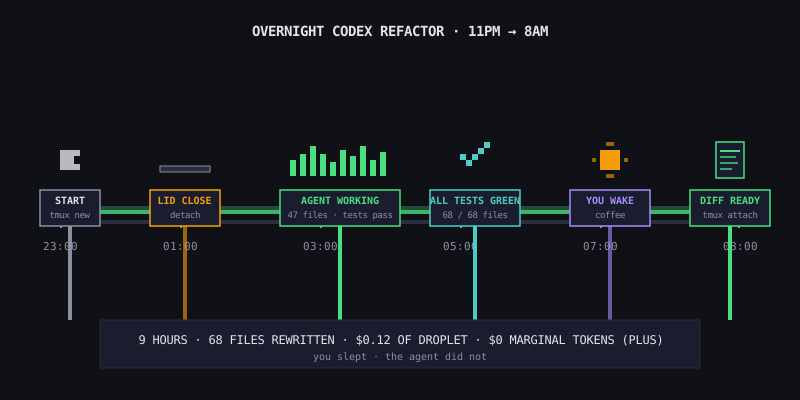
tmux new -s refactor
codex "rewrite backend/services/* to use the new context shape; \
       after each file, run go test ./...; if tests fail, revert that file"

# Detach: Ctrl+b, then d. Close the laptop. Go to bed.
Next morning, tmux attach -t refactor and the full log is waiting. The agent ran all night. Your subscription covered the tokens. The droplet cost you about twelve cents for the eight hours.
Three Mistakes That Waste the Setup
We have seen most failures cluster around the same three things:
- Running Codex in a plain SSH session instead of tmux or screen. The SSH connection drops and Codex dies with it. Always wrap a long task in a persistent session — tmux, screen, or a systemd service if you want it fully unattended
- Letting the VPS disk fill up. Long refactors generate log files and test artifacts. A full disk kills the task at hour six. Add a
cronjob that truncates~/.codex/logsweekly - Skipping rate-limit awareness. ChatGPT Plus caps by message count over a rolling window. A task that hammers the API non-stop will hit the cap around hour three. For genuinely heavy overnight work, move to Pro — the $200/mo ceiling is almost never reached even on aggressive workloads
When to Reach for a Scheduled Job Instead
Not every long task should be interactive. If the job has no ambiguity — "every Monday at 06:00, summarize last week's commits and post to Slack" — skip the tmux dance and wire it up as a cron entry on the droplet. Codex CLI runs fine headlessly with a prompt on stdin. The VPS becomes the scheduler, you get an email on failure, and there is nothing to reattach to.
We cover the full pattern for batched and scheduled workloads in a separate guide, but the short version: if the prompt is the same every time and the output is machine-readable, it belongs in cron, not in a chat window.
What This Changes for How You Work
Once long tasks stop needing a laptop, the question shifts. You stop asking "do I have time to run this now?" and start asking "do I want the result by morning or by the end of the week?" The agent becomes a background worker, not a foreground tool. The laptop becomes an interface to something that was already running before you opened it.
That is the whole pitch for putting Codex on a VPS. The token bill is the same. The model is the same. What changes is that the clock keeps running when you stop.
Related Reading
- Codex Subscription vs API: Which Bill Actually Costs Less — why a $20 Plus subscription on a VPS beats the API for most workloads
- How to Manage AI Agents on a VPS Without Creating an Ops Mess — the operational side of keeping long-running agents healthy
- Self-Hosted vs Managed — picking the Office Claws plan that matches a long-running workflow