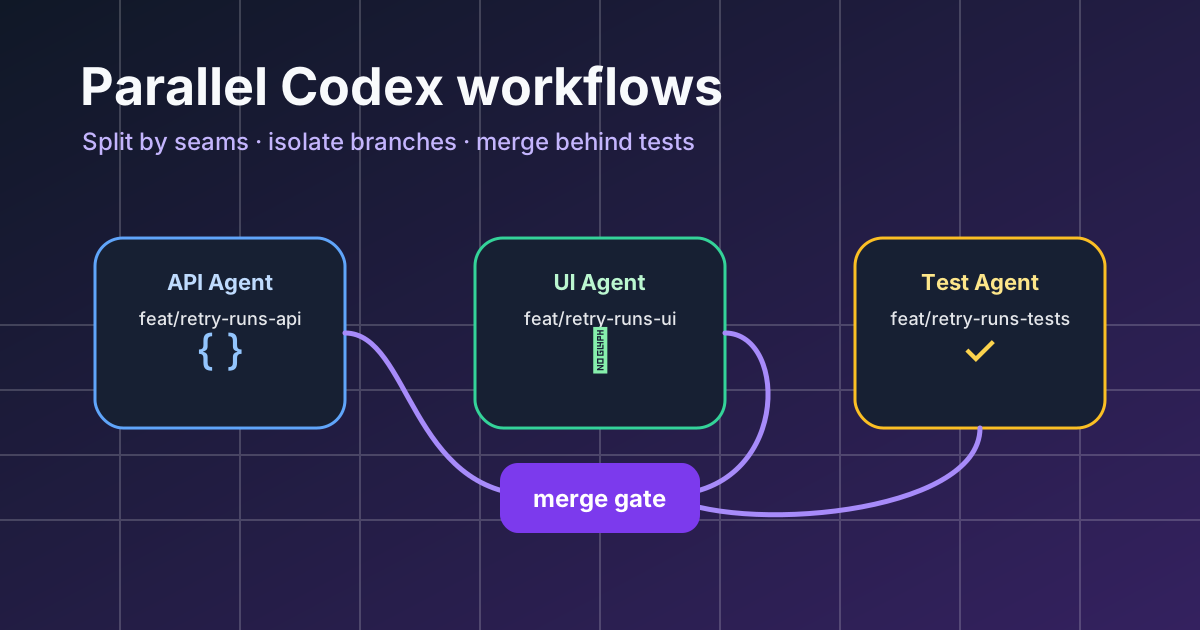
Parallel Work Is Not “Ask Five Agents the Same Thing”
Parallel Codex workflows work when each agent owns a separate slice of the problem. They fail when five agents all touch the same files, invent different plans, and hand you a merge conflict shaped like a novel.
The goal is simple: turn one feature into several safe workstreams, let Codex run them on separate VPS agents, then recombine only after tests and review. Office Claws makes that practical because each agent has its own host, branch, terminal state, and visible desk in the app. You still make the product decisions; the agents do the waiting, testing, and mechanical edits.
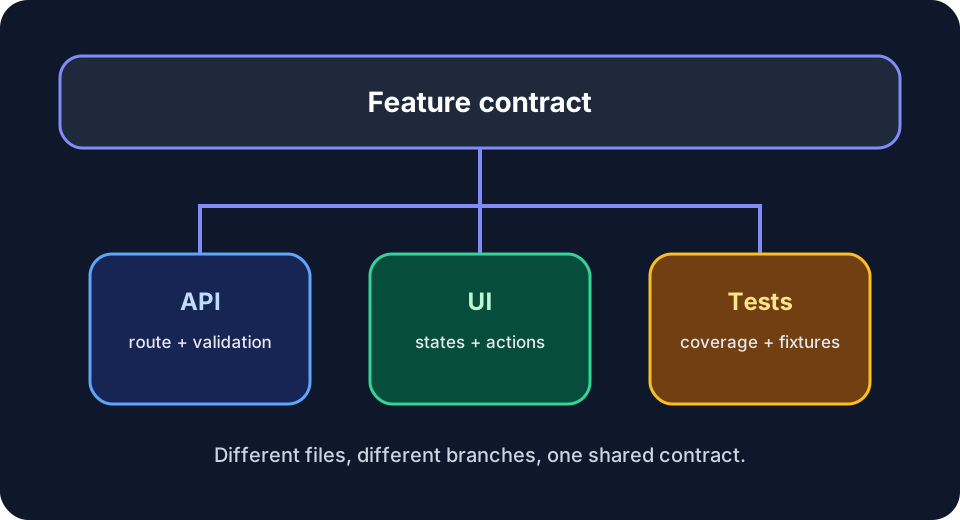
The Rule: Split by Seams, Not by Tasks
A weak split sounds like this:
- Agent A: implement the feature
- Agent B: add tests
- Agent C: update docs
That looks parallel, but Agent B cannot write meaningful tests until Agent A decides the interface. Agent C will document behavior that may change. Everyone blocks on the same unknown.
A stronger split follows architectural seams:
- Agent A: database migration and repository layer
- Agent B: API route and validation
- Agent C: UI state and empty/loading/error states
- Agent D: docs, screenshots, and release note after the interface is frozen
Each agent has a boundary. If two agents need the same file, the split is probably wrong.
A Practical Four-Branch Workflow
Use this when the feature is too big for one context window but too small for a formal project plan.
1. Write a Contract First
Before launching agents, write a tiny contract in the main branch: types, endpoint shape, filenames, and the test command. It can be a Markdown note or a failing test. The contract is what stops parallel work from drifting.
Example:
Endpoint: POST /api/runs/:id/retry
Request: { mode: "failed-only" | "all" }
Response: { runId: string, queuedTasks: number }
Tests: npm run test -- retry
Do not rename existing RunStatus values.
This is boring, and it is the difference between parallelism and chaos.
2. Create One Branch per Agent
Name branches after ownership, not agent names:
feat/retry-runs-apifeat/retry-runs-uifeat/retry-runs-testsdocs/retry-runs-release-note
In Office Claws, put each Codex agent on its own VPS and branch. That isolation matters. Long-running commands, package installs, and failed experiments stay inside the agent that caused them instead of contaminating everyone else.
3. Give Each Agent a Narrow Prompt
Good prompts include ownership, forbidden areas, and a validation command.
You own only the API route and validation for retrying runs.
Do not edit UI files. Do not rename shared status enums.
Before finishing, run: npm run test -- retry
Return a summary, changed files, and any contract changes you need.
The “do not edit” lines are not politeness; they are merge-conflict prevention.
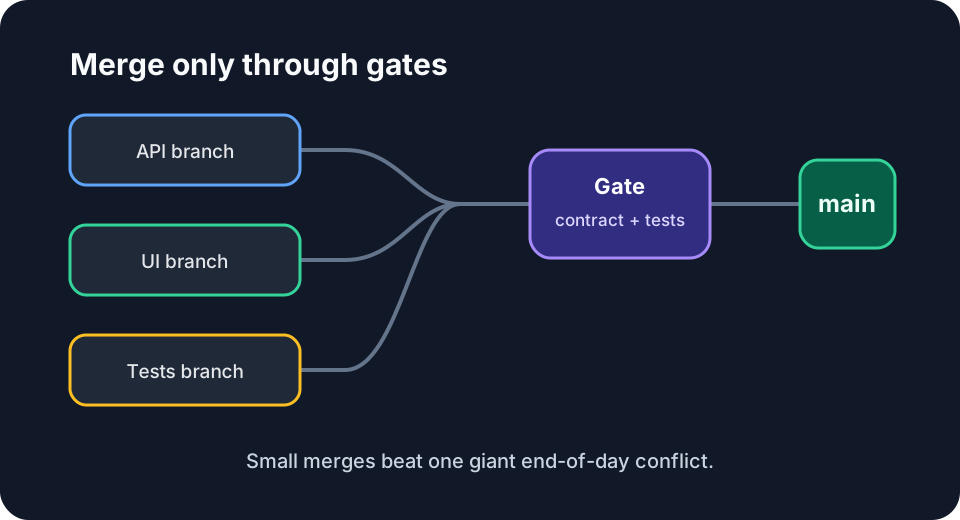
Merge Order Matters
Merge the most foundational branch first. Usually that means data model, then API, then UI, then docs. After each merge, rebase the remaining branches so every agent sees the latest contract.
A safe order looks like:
- Merge repository/database branch after tests pass
- Rebase API branch, fix contract drift, merge
- Rebase UI branch, connect to the now-real endpoint, merge
- Rebase tests/docs branch and finish the last mile
Do not let every branch merge at the end. That creates a giant review event and hides the exact place where the design changed.
When Parallel Codex Workflows Are Worth It
Parallelism helps when work has natural boundaries:
- Backend + frontend + docs
- Migration + adapter + tests
- Refactor one package while another agent updates call sites
- Investigate three possible fixes, then keep only the best one
- Port the same pattern to several independent integrations
It is not worth it for a 20-line bug fix. One good Codex session with a reviewer is faster.
How Office Claws Fits
You can run this workflow manually with SSH tabs and tmux. The hard part is remembering which machine, branch, and terminal owns which slice. Office Claws exists for that control plane: multiple Codex agents, each on a VPS, visible from one desktop app, with status that is easier to scan than six terminal titles.
If you are evaluating the stack from an OpenClaw background, start with the OpenClaw vs Codex comparison. If you already know you want hosted Codex agents, the pricing page shows the self-hosted and managed options.
Checklist Before You Launch Three Agents
- Is there a written contract?
- Does each agent own different files?
- Is every prompt explicit about forbidden areas?
- Is there one validation command per branch?
- Do you know the merge order before the first agent starts?
- Is one human responsible for accepting or rejecting contract changes?
Parallel Codex workflows are powerful because they keep agents narrow. The win is not that the agents become autonomous managers. The win is that they stop waiting on each other while you keep the architecture in your hands.