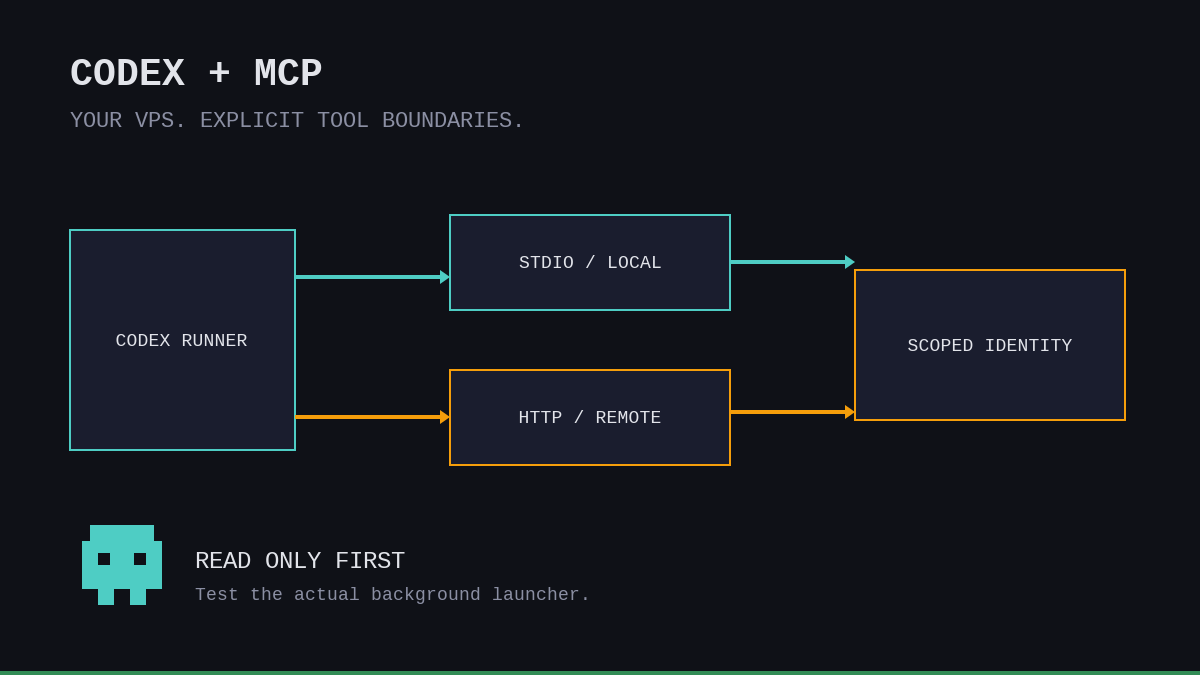
A Codex agent can edit a repository yet still lack the ticket, incident notes or internal documentation needed to finish a task. MCP connects those systems. On a remote runner, the first question is not which integration to install: it is which machine will run it and whose permissions it will use.
We start with one read-only documentation connection. This is a manual Codex CLI configuration guide for your VPS, not an Office Claws integration catalog or a built-in credential manager.
Codex MCP server configuration belongs to the runner
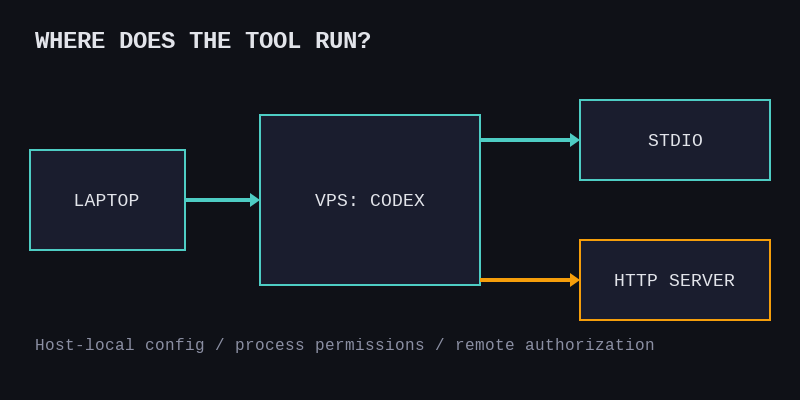
OpenAI's MCP documentation describes two connection types for Codex clients: a local STDIO process and a Streamable HTTP endpoint. The distinction is where code executes, not whether the tool appears in a chat window.
| Connection | Where the server runs | What to check on a VPS |
|---|---|---|
| STDIO | A process started by the Codex host | Executable, dependencies, working directory and service-user permissions |
| Streamable HTTP | At the configured server URL | DNS, TLS, connectivity and authorization from the runner |
If Codex CLI runs on the VPS, a local command runs there too. A configuration saved only on your laptop is not automatically present on that VPS. Likewise, localhost in an HTTP URL means the host making the connection, not your laptop across SSH.
Codex normally reads ~/.codex/config.toml. A trusted project can also supply .codex/config.toml; inspect repository-provided configuration before trusting it. A new server command is executable code, not merely a list of helpful tool names. Review the package source and pin a reviewed version rather than downloading an unreviewed latest release on each start.
Run your first agent in about 3 minutes
Install the Office Claws CLI, connect your Contabo account and Codex subscription, and your agent gets its own VPS and a desk in the office.
curl -fsSL https://officeclaws.com/downloads/install.sh | sh$4.99/mo + your own Contabo VPS · keys stay in your keychain
Add one narrowly scoped connection
For a concrete connectivity check, OpenAI documents a public documentation server. Run these commands as the same non-root Unix user that runs the agent on your VPS. No production token is needed for this example.
codex --version
codex mcp --help
codex mcp add openaiDeveloperDocs --url https://developers.openai.com/mcp
codex mcp list
Start a new Codex session and ask it to use that server to retrieve the documentation for codex exec. Check that a tool call actually succeeds; a saved entry in the server list is not proof of a healthy connection. If your installed CLI has different options, follow its help and the matching version's documentation.
For a private HTTP service, configure its actual URL and the environment-variable name for its bearer token, not the token value. The following is a template, not a working public endpoint. The tool names must match the service's advertised catalog.
[mcp_servers.team_docs]
url = "https://docs-mcp.example.com/mcp"
bearer_token_env_var = "TEAM_DOCS_TOKEN"
enabled_tools = ["search_docs", "get_document"]
startup_timeout_sec = 20
tool_timeout_sec = 60
Merge the table into the intended configuration file rather than overwriting unrelated settings. Inject TEAM_DOCS_TOKEN through the runner's protected service environment; an interactive SSH shell's variables do not automatically reach an already running service. Do not commit the token, paste it into a prompt, or print it in diagnostic logs. Environment variables are not a vault: processes with sufficient local privileges may still inspect them.
For OAuth-based services, OpenAI documents codex mcp login <server-name>. Complete the provider's supported login flow for the actual runner and account before unattended work. A browser session on your laptop does not by itself authenticate a remote CLI. Keep callback listeners private and use the documented remote-login procedure rather than opening a public port just to make a callback work.
Test the remote permission boundary, not just the connection
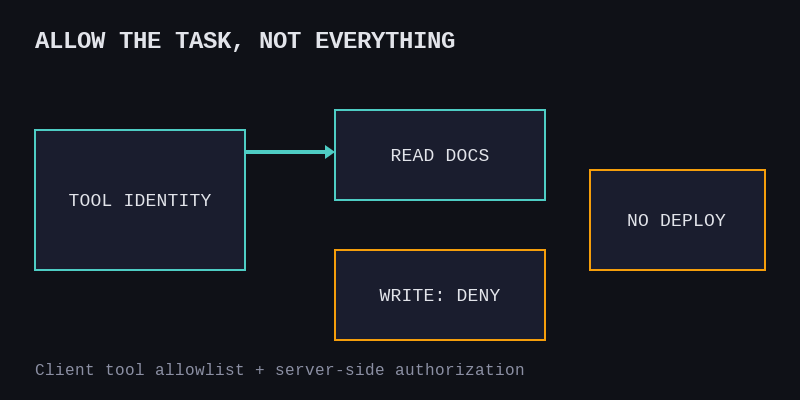
We give the server a read-only identity and allow only the lookup tools the task needs. A client tool allowlist narrows what Codex can call, but it does not revoke permissions from the server's account. A database or ticketing backend must enforce its own authorization.
The local Codex sandbox is not a firewall around an external MCP service. An HTTP tool can act with that service's credentials outside the checkout. A STDIO package can also expose resources available to its process. Keep sandbox and approval settings, operating-system permissions and backend access scopes as separate controls.
Before an overnight task, test with synthetic data:
- Retrieve a known non-sensitive document and confirm the result reaches Codex.
- Request a harmless lookup outside the test identity's scope and confirm the backend denies it. Do not use a real secret as a probe.
- Confirm write tools are absent from the allowed catalog. Test denied writes only in a disposable test service, never against production.
- Start the agent through its real background launcher, not just your interactive shell. Check authentication, timeouts and logs again.
Treat returned documents and tool descriptions as untrusted input. A page that tells the agent to upload credentials does not gain authority because it arrived through MCP. Limit the records the service can retrieve and keep deployment credentials off this runner.
Keep unattended tools boring and costs explicit
A connection can work at noon and fail after a token expires. Record the server/package version where applicable, Codex version, tool names, credential owner and a non-sensitive health-check result. Distinguish startup failure, authorization failure and an individual tool timeout before retrying. Do not blindly replay a write request after a timeout: the remote action may have completed even if the response was lost.
Office Claws provides the desktop/CLI operating layer for Codex-backed agents on your own VPS. It does not turn an arbitrary MCP server into a managed, audited or automatically refreshed integration. Use our VPS setup guide and SSH workflow for the runner, then own the tool-service lifecycle explicitly.
A ChatGPT plan used for Codex does not pay for every external service. Budget VPS hosting, Office Claws, Codex plan limits and any MCP provider's charges separately; see our subscription guide. More parallel agents can also multiply requests against a shared tool-service quota.
Our recommendation: one read-only server, one scoped identity and one tested background launch first. Add write access only when you can explain who authorizes it, how retries behave and where the audit evidence lives.