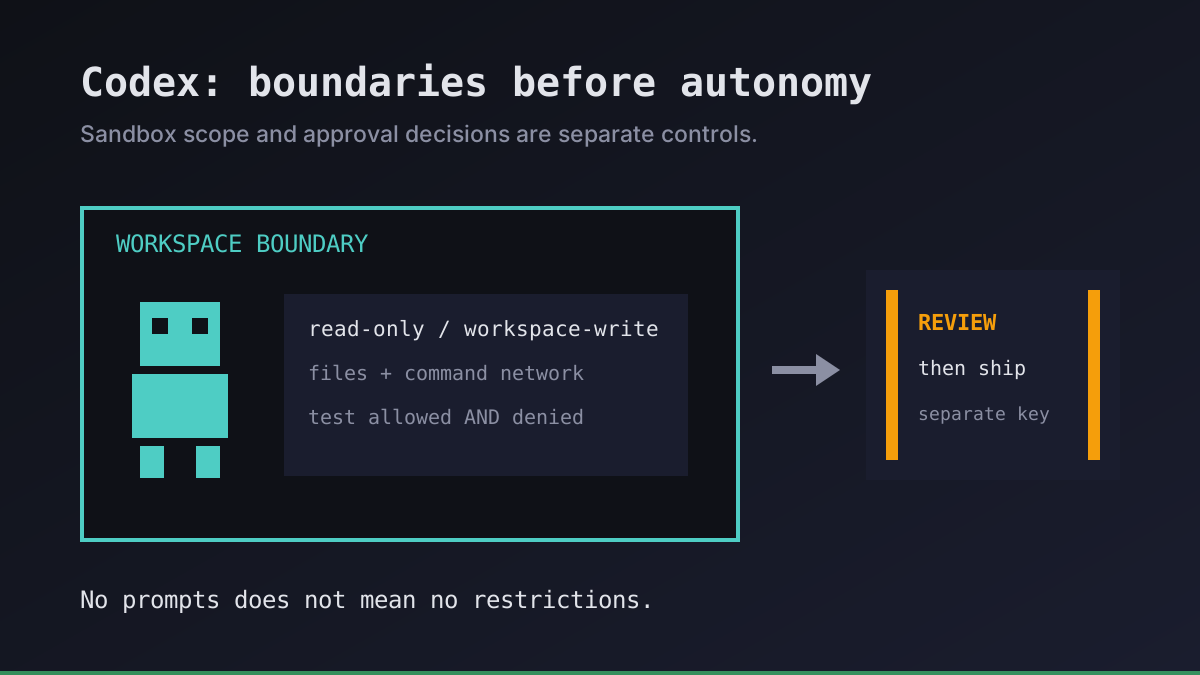
An overnight Codex job should not need a person watching every command. It should also not inherit the power to deploy production just because nobody is watching. We separate those decisions: what the agent can access, when it must ask, and who can publish the result.
This guide is about the permissions of the Codex process on your own VPS, not the separate Codex Security code-scanning product. We use the official agent approvals documentation as the reference; check your installed CLI version and managed requirements before applying a configuration.
Codex sandbox modes and approval policies are different controls
The sandbox determines the technical boundary for model-generated commands. The approval policy determines when Codex asks to cross a boundary or perform an action requiring approval. Neither replaces operating-system permissions or review of the finished diff.
| Setting | What it controls | What it does not promise |
|---|---|---|
read-only | Prevents writes under the active sandbox policy | Hiding every file the operating-system account can read |
workspace-write | Allows edits in the active workspace, subject to protected paths | Unrestricted network access, Git metadata changes, or safe code |
on-request | Lets Codex request additional permission | That every command will require confirmation |
never | Removes interactive approval requests | Removing the sandbox or making blocked operations succeed |
The useful distinction is no prompts is not no restrictions. A bounded reporting job can be noninteractive without granting full host access. Conversely, an interactive session is not automatically safe: approving an escalation may allow execution outside the original sandbox.
Recent versions protect paths such as .git even inside a writable workspace. Do not assume an agent can commit just because it can edit source files. Check the effective settings with Codex's /status in an interactive session and consult the version-matched documentation. A Git worktree separates changes; it is not a security boundary.
Run your first agent in about 3 minutes
Install the Office Claws CLI, connect your Contabo account and Codex subscription, and your agent gets its own VPS and a desk in the office.
curl -fsSL https://officeclaws.com/downloads/install.sh | sh$4.99/mo + your own Contabo VPS · keys stay in your keychain
Choose a boundary before making the job unattended
We start a new repository with a supervised, read-only session:
codex --sandbox read-only --ask-for-approval on-requestInspect repository instructions, project-local configuration, installed skills, and connected tools before trusting them. A repository can contain hostile instructions. For an editing session, intentionally choose workspace-write with on-request, review the requested access, and stay available for meaningful decisions.
For an unattended report, a read-only sandbox with a noninteractive approval policy is a narrower starting point. Confirm the flags supported by your installed codex exec before scheduling it. If a required action is blocked, record the failure and return it for review. Do not automatically retry with broader access or disable the sandbox to make a timer look successful.
A read-only report may still expose sensitive information through its output. Give the runner a dedicated unprivileged OS account, only the repositories it needs, and no production deployment credentials. Keep unrelated secrets out of accessible files and inherited environment variables. Do not forward your personal SSH agent or mount the host Docker socket: either can expand the runner's authority beyond the working directory.
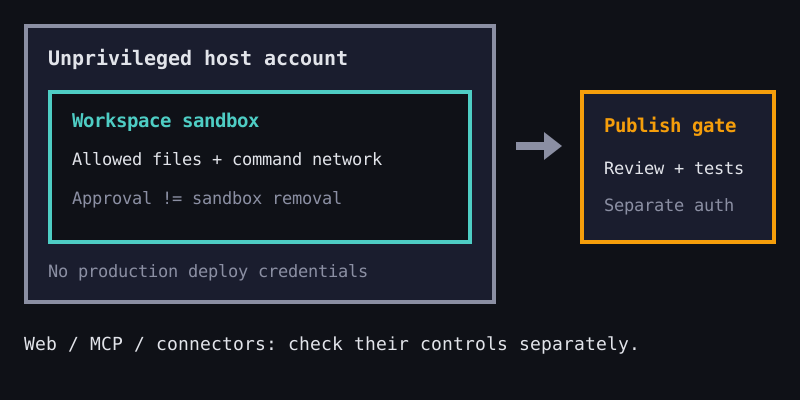
Network access needs its own decision. In the documented workspace-write configuration, command networking is off by default. Enabling it is not the same as restricting destinations. A command network proxy, when configured and active, has its own rules; merely writing an allowlist does not activate enforcement. Model and authentication traffic, web search, MCP, and connector tools use separate controls. An offline shell is not proof that every agent tool is offline.
Test permissions on a disposable fixture
Before a recurring job touches real code, create a temporary test repository under the same account, launch method, and configuration as the planned runner. We check both permitted and forbidden actions:
| Check | Evidence to keep |
|---|---|
| Read a harmless fixture file | Correct content and effective working directory |
| Try changing that fixture in read-only mode | A denied write and an unchanged file |
| In workspace-write mode, edit the fixture | The expected diff, with no unrelated modifications |
| Try writing outside the allowed workspace | A denial without granting an escalation |
| Attempt a harmless request to an endpoint you control when command networking should be off | A denial attributable to policy, not merely a DNS outage |
Never use a real secret as the denied-access test. A test only establishes the boundary you actually exercised. It does not prove resistance to every exploit or validate permissions for unrelated MCP tools. If Linux sandbox enforcement cannot start on your VPS, fix compatibility or stop the job; do not silently substitute unrestricted execution.
Store the CLI version, selected policy, task identity, exit status, and test results without collecting authentication files. After changing the CLI, kernel, startup service, or project configuration, repeat the checks. Treat denied actions and stalled approval requests as distinct outcomes in your monitoring, not as reasons for unlimited retries.
Keep execution separate from publication
A runner can produce a diff or report without holding the credential that merges or deploys it. We review the result, run independent tests, and use a separately authorized publication step. A successful agent exit is evidence of completion, not authorization to release.
Office Claws provides the operator layer for Codex agents on your own Contabo VPS, with private Tailscale connectivity and desktop/CLI management. The policies above are Codex and host configuration, not a claim that Office Claws automatically enforces every permission or publication gate. A private network reduces exposure; it does not sandbox a process already running on the machine.
Start with one Codex VPS runner, bring an eligible ChatGPT plan, and keep its usage limits in mind: 24/7 server availability is not unlimited model capacity. Once the permissions are verified, use structured output for a reliable report handoff. Our recommendation is simple: narrow access first, durable execution second, and a separate decision to ship.