The Honest OpenClaw Alternative Question
Most searches for an OpenClaw alternative are not really about replacing a logo. They are about reducing cost surprises, keeping coding agents isolated, and making long-running work easier to supervise. If your team liked the OpenClaw-style promise — autonomous agents that can keep working after you close the laptop — the alternative has to preserve that operating model, not just swap one CLI for another.
Office Claws is not a native OpenClaw runtime. We do not import OpenClaw state, run OpenClaw extensions, or pretend the ecosystems are the same. Our practical answer is narrower: use Codex-backed agents for repo work, run them on local or VPS machines, and manage the branches, logs, secrets, and review gates from a desktop app.
If that is the problem you are solving, Office Claws for OpenClaw users is a realistic path. If your work depends on OpenClaw-specific extensions, browser/payment flows, or multi-domain tool chains, you may still want OpenClaw for that slice.
What You Are Actually Replacing
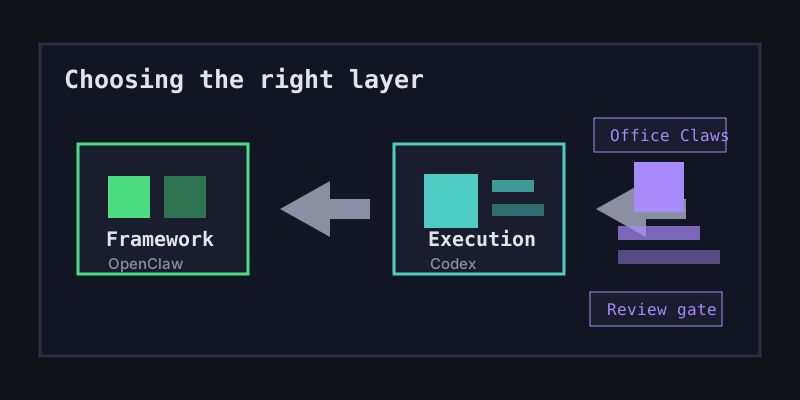
Before choosing an OpenClaw alternative, separate the runtime from the operating layer. A lot of teams mix those together and end up comparing the wrong things.
| Need | OpenClaw answer | Office Claws answer |
|---|---|---|
| Agent runtime | OpenClaw runtime and extensions | Codex-backed coding agents |
| Where work runs | Local, cloud, or configured backends | Local desktop plus managed/self-hosted VPS runners |
| Cost shape | Mostly API-metered paths | Codex subscription plus VPS cost |
| Team control | Depends on setup and extensions | Branches, logs, isolated runners, review gates |
| Best fit | Broad agent workflows beyond code | Repo-focused autonomous coding work |
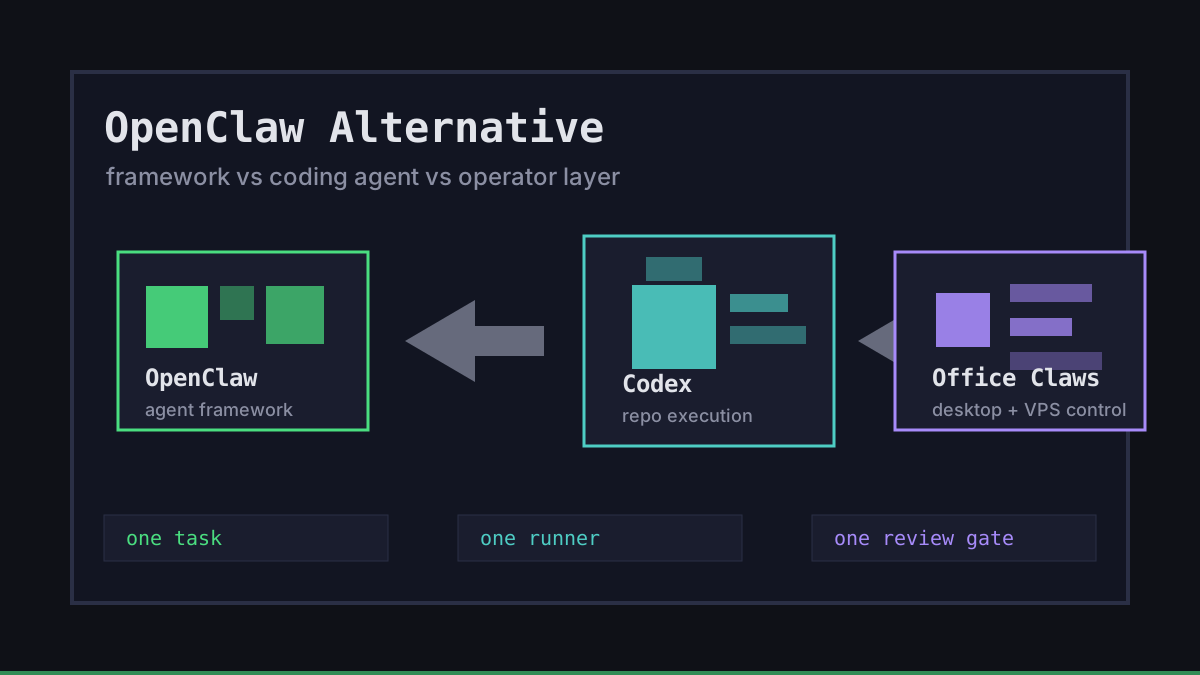
The key distinction is simple. OpenClaw is the agent framework. Codex is the coding agent. Office Claws is the operator layer around coding agents: provision a runner, start a task, watch logs, keep secrets local, and bring the result back as a branch you can review.
That makes Office Claws a strong alternative when the pain is operational: too many terminal panes, unclear agent status, shared checkouts, expensive long-running API loops, or fragile VPS scripts.
A Safer Architecture for OpenClaw-Style Coding Work
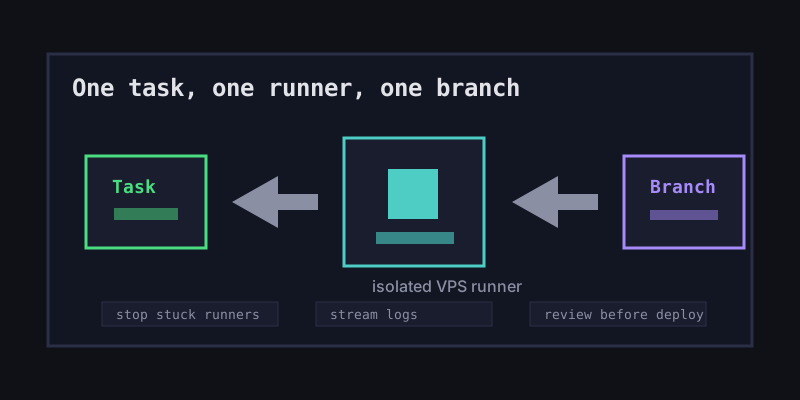
The pattern we recommend is boring on purpose: one task, one runner, one branch, one review gate. The agent can work for hours, but it does not get a shared workspace or broad production credentials by default.
request -> Office Claws desktop -> isolated VPS runner -> feature branch -> human review -> deployFor OpenClaw-style coding workflows, this reduces the blast radius. A stuck task is just one runner to stop. A bad patch is just one branch to close. A leaked prompt does not automatically become a leaked .env if keys stay local and scoped.
Office Claws already leans into this shape with a pixel office UI, Tailscale-friendly networking, DigitalOcean/VPS provisioning, snapshot-based setup, and multi-agent monitoring. The point is not to make the agent magical. The point is to make the surrounding system predictable enough that you can trust it with real repositories.
When Office Claws Is the Better Alternative
Choose Office Claws over a pure OpenClaw setup when most of the work is inside software repositories and you care about cost, auditability, and operations more than extension breadth.
Good fits:
- Long-running Codex tasks that should continue on a VPS while your laptop sleeps.
- Parallel bug fixes or refactors where each agent needs its own branch.
- Small teams that want visible logs and review gates before code lands.
- Developers who want a local-first manager instead of hidden tmux panes.
- OpenClaw users migrating coding work to a flatter Codex cost model.
Bad fits:
- Workloads that rely on OpenClaw-specific extensions.
- Agents that must drive broad browser, payment, or business-tool flows.
- Teams expecting native OpenClaw project import or state migration.
For those cases, keep OpenClaw where it is genuinely better and use Codex/Office Claws for the repo-heavy execution path. Hybrid beats dogma.
Cost and Control Tradeoffs
The biggest reason teams look for an OpenClaw alternative is the bill shape. API-metered autonomous work can be hard to forecast, especially when agents re-read context, retry commands, or run overnight. A Codex subscription plus a small VPS is easier to budget.
| Monthly scenario | API-metered OpenClaw-style setup | Office Claws + Codex-backed runner |
|---|---|---|
| One developer, occasional long tasks | Variable, token-dependent | $20 Codex Plus + VPS |
| Heavy solo usage | Can spike with long sessions | $200 Codex Pro + VPS if needed |
| Self-hosted Office Claws runner | Infrastructure you assemble | $4.99/month Office Claws self-hosted plan |
| Managed Office Claws runner | Not the default shape | $14.99/month managed plan |
The exact math depends on model choice and usage, but the management principle is stable: prefer a system where the expensive part is visible, capped, and attached to a runner you can stop.
Recommendation
If your search for an OpenClaw alternative is really a search for a better coding-agent operating model, try Office Claws. Start with one repo, one VPS runner, and one non-critical task. Compare the review trail, log visibility, cost shape, and recovery path against your current OpenClaw workflow.
If you need OpenClaw's wider framework, keep it. We are not trying to turn Office Claws into a clone. We are building the desktop/VPS control layer for developers who want OpenClaw-style autonomy with Codex-backed execution, safer local key handling, and cleaner review gates.
Related Reading
- OpenClaw vs Codex — the runtime comparison behind this alternative path.
- OpenClaw desktop manager — how the local control layer works.
- OpenClaw security best practices — the isolation checklist for autonomous agents.