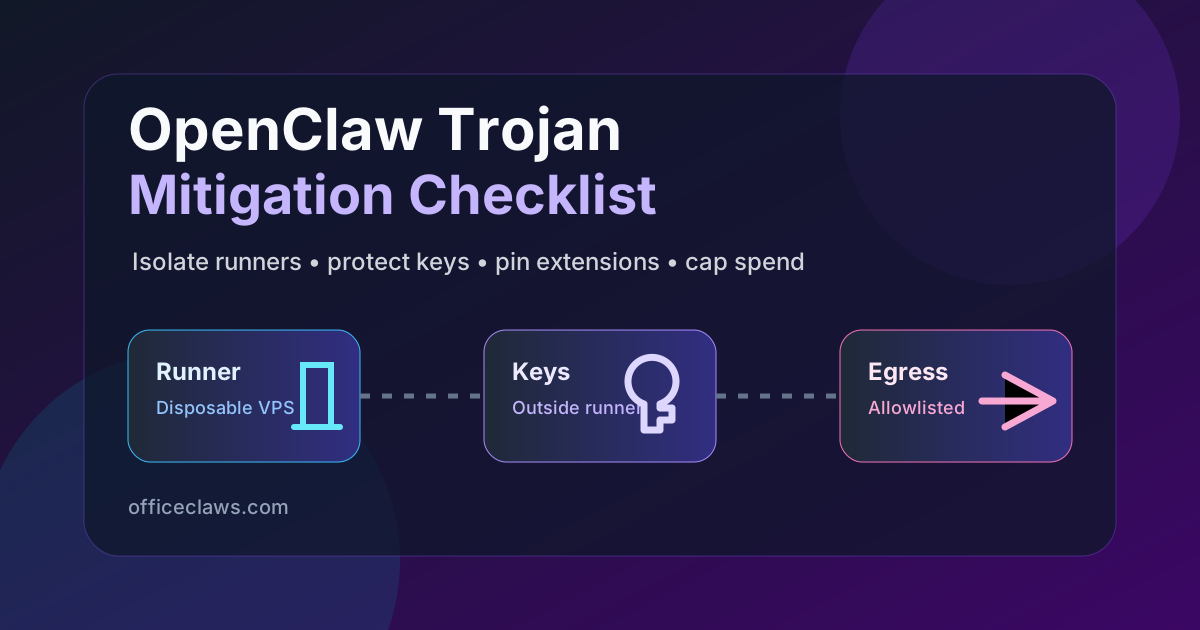
OpenClaw's 2026 growth made it attractive to exactly the kind of attacker who follows developer attention: supply-chain maintainers, extension directories, copied shell snippets, and agents with enough access to be useful. The right response is not panic. It is reducing blast radius until a malicious package becomes a boring rebuild instead of a stolen-key incident.
This checklist is for OpenClaw users who want concrete mitigation steps today. Office Claws is not a native OpenClaw runtime; it is a Codex-first desktop manager for running coding agents on isolated VPS hosts. That distinction matters. The mitigation pattern below applies to OpenClaw, Codex, and most agent tools, while the Office Claws CTA is the honest migration path for coding-heavy work.
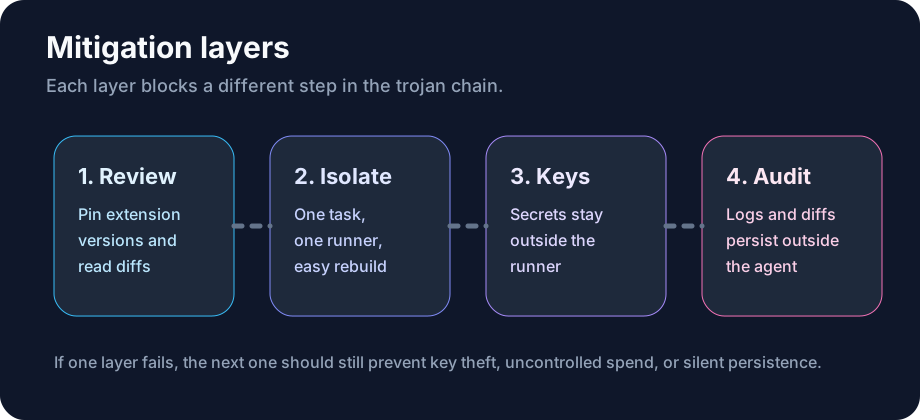
The Attack Pattern to Defend Against
Most OpenClaw trojans do not need a zero-day. They need a trusted path into a runner that already has credentials. The usual chain is simple:
- A community extension, MCP server, template, or helper script gains trust.
- The agent process loads it with filesystem and network access.
- The payload reads environment variables, shell history, config files, or repo tokens.
- It uses the agent's own tools to persist, exfiltrate, or spend API credits.
- The operator discovers it only after a bill, a suspicious commit, or a leaked secret.
That is why OpenClaw trojan mitigation is mostly architecture, not antivirus. You want each layer to make the next step harder.
The Mitigation Checklist
| Control | Minimum bar | Stronger bar |
|---|---|---|
| Runner isolation | One project per workspace | One disposable VPS per risky run |
| Secrets | No long-lived keys in .env | Local keychain or brokered short-lived tokens |
| Extensions | Pin versions | Review diffs and deny broad tool scopes |
| Network | Log egress | Allowlist domains per task |
| Spend | Provider caps | Per-agent daily budget and alerts |
| Recovery | Clean branch | Rebuild runner from snapshot |
1. Put the Agent Somewhere You Can Burn Down
A trojan is much less interesting when it lands on a host with no browser cookies, no personal SSH keys, and no unrelated repositories. For serious coding work, run the agent in a disposable environment: a throwaway container for short tests or a small VPS for long tasks.
The goal is not perfect security. The goal is fast replacement. If the runner looks wrong, destroy it, rotate the scoped token, and start from a clean snapshot. OpenClaw users who keep everything on their daily laptop lose that option.
2. Keep Provider Keys Outside the Runner
The worst default is a powerful API key sitting in project .env next to source code. It is easy for humans and easier for malware. Move provider credentials into the operating-system keychain or a local broker that can issue short-lived task tokens.
If you are migrating coding work to Codex, this is where Office Claws for OpenClaw users helps: the desktop app manages the runner boundary while the long-running agent lives on your own VPS. We still recommend provider-side spend caps because no desktop tool should be your only financial control.
3. Treat Extensions Like Production Dependencies
OpenClaw's extension ecosystem is useful precisely because it is powerful. That also means every extension is code in your trust boundary. Pin versions. Avoid auto-updates. Read the diff before bumping anything that can run shell commands, read files, or call the network.
Red flags worth blocking immediately:
- broad filesystem access when a single repo path would do;
- network egress to analytics, paste, or file-sharing domains;
- install scripts that download binaries at runtime;
- maintainers with no history and sudden popularity spikes.
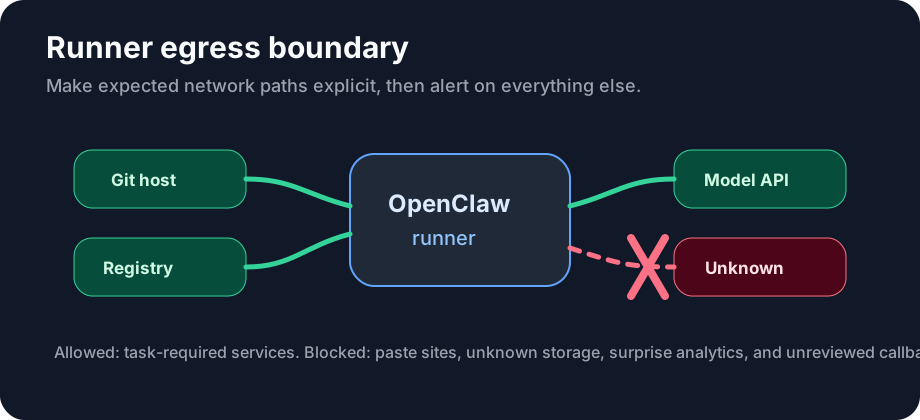
4. Add an Egress Tripwire
Most trojans eventually call out. You do not need enterprise tooling to notice that. Start with DNS or firewall logs and alert on unexpected domains from the runner. For stronger isolation, allow only the domains the task actually needs: git hosting, package registries, model providers, and your own control plane.
5. Make Spend Caps Non-Negotiable
A leaked key with no cap is a blank cheque. Set provider-level daily limits before you start experimenting with new OpenClaw packages. Then add runner-level monitoring so you see unusual token burn while the task is still running.
Our OpenClaw cost comparison explains why subscription-backed Codex workflows are often easier to budget, but subscription economics do not remove the need for visibility. Cost controls and security controls overlap.
6. Preserve an Audit Trail Outside the Agent
Do not let the compromised process be the only place that records what happened. Persist prompts, tool calls, shell commands, and git diffs somewhere outside the runner. After an incident, you should be able to answer three questions quickly: which credentials were reachable, which repositories were touched, and which network destinations were contacted.
When to Move From OpenClaw to Codex on a VPS
If your OpenClaw workflow is mainly broad research, local experiments, or ecosystem exploration, keep it small and sandboxed. If the work is repo-centered coding, long-running tests, and branch management, Codex on an isolated VPS is often the cleaner shape.
Read the OpenClaw vs Codex comparison before switching. The short version: OpenClaw is the wider ecosystem bet; Codex is narrower and better aligned with coding-agent execution. Office Claws sits on that Codex side: provisioning, monitoring, and multi-agent visibility without pretending to be an OpenClaw runtime.
A 15-Minute Hardening Plan
- Move any provider key out of repo
.envfiles. - Add a daily provider spend cap.
- Pin every OpenClaw extension and disable auto-update.
- Create a fresh branch and a narrow workspace for the next agent task.
- Run the task on a disposable host if it will last more than an hour.
- Save logs and diffs outside the runner.
OpenClaw trojan mitigation is not one magic scanner. It is a set of dull boundaries that attackers hate: no durable secrets on the runner, no unlimited spend, no invisible network calls, and no host you are afraid to delete.