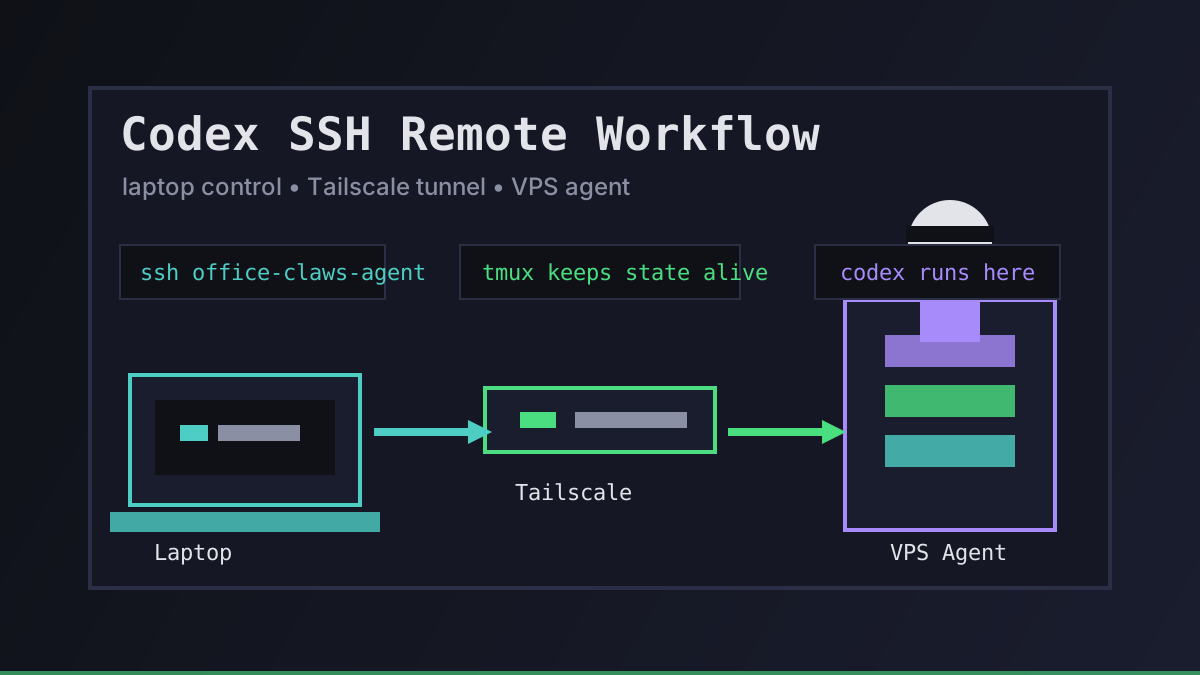
Most Codex work starts on a laptop. The problem is that the work rarely stays laptop-shaped. A serious refactor wants a stable network, a clean checkout, a persistent shell, and enough time to finish after you close the lid.
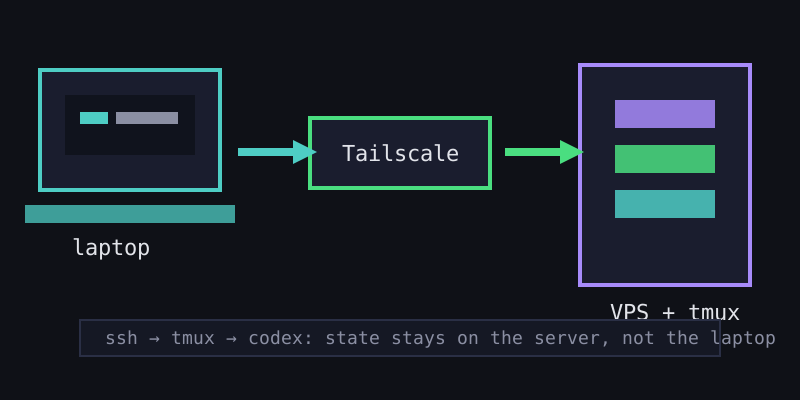
Our answer is simple: keep the agent on a VPS, reach it over Tailscale, and treat SSH as the control plane rather than the place where everything has to be manually operated.
Why SSH Still Matters
SSH is not the product experience we want people to live in forever. Office Claws gives each agent a desk in the pixel office so you can see who is running, who is idle, and who needs attention. But under that friendly surface, SSH remains the boring primitive that works.
It gives us three useful properties:
| Need | What SSH gives us | Why it matters for Codex |
|---|---|---|
| Reachability | A stable path to the VPS over Tailscale | The laptop can move networks without exposing the agent publicly |
| Recovery | A way back into tmux, logs, and the repo | Long tasks survive disconnects |
| Debugging | Direct access when the UI is not enough | We can inspect files, processes, and tests without guessing |
That is the shape we like: pixel office for daily control, SSH for the rare moment when you need a wrench.
The Remote Workflow We Use
A good remote Codex setup has a narrow path from laptop to agent:
# connect over the private Tailnet, not the public internet
ssh office-claws-agent

# keep the Codex task alive if the connection drops
tmux new -s feature-work

# run Codex inside the repo on the VPS
cd ~/work/project
codex "implement the settings export flow, then run npm test"
The important part is not the exact command. It is where state lives. The repo, terminal session, logs, and Codex context stay on the VPS. The laptop is only a window into that state.
In Office Claws, self-hosted users bring a DigitalOcean API token and a Tailscale auth key. We provision the droplet from a snapshot, attach it to the Tailnet, and make it show up in the desktop app. Managed users get the same model without owning the VPS account.
Keep Secrets Local to the Right Boundary
The fastest way to make a remote agent scary is to scatter credentials across laptops, VPSs, and chat prompts. We try to keep the boundary boring:
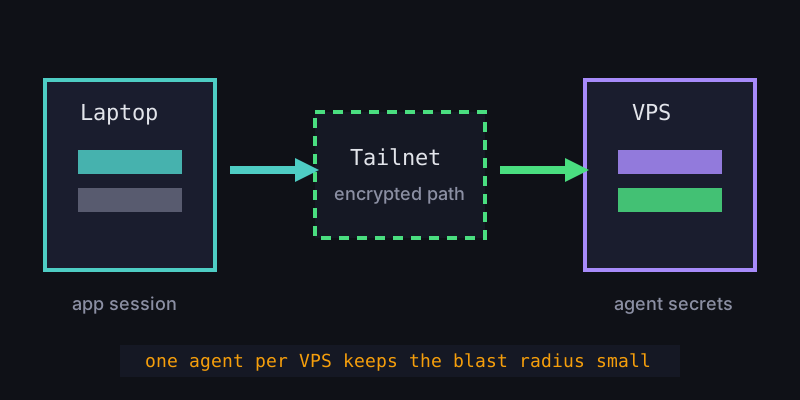
- Your laptop keeps the Office Claws account session and app-level controls
- Tailscale carries encrypted traffic between the laptop and the agent
- The VPS keeps only the credentials it needs to run the agent workflow
- Codex runs inside that VPS context, not inside a random public shell
This is also why we prefer one agent per VPS. If a task goes sideways, the blast radius is a small machine with one job. You can stop it, inspect it, rebuild it from a snapshot, or delete it entirely.
When to Use SSH, and When Not To
SSH is perfect for setup, recovery, and heavy technical work. It is not the best interface for every interaction.
| Use SSH for | Use the desktop app for |
|---|---|
| Attaching to a long tmux session | Seeing which agents are active |
| Running a test suite manually | Switching between agent conversations |
| Inspecting logs or disk usage | Starting normal chat-driven tasks |
| Emergency recovery | Monitoring multiple agents at once |
If you are in SSH all day, the product has failed you. If SSH is unavailable when something breaks, the infrastructure has failed you. We want neither.
Recommendations
Start with one remote Codex agent before building a fleet. Put it on a small VPS, join it to Tailscale, and run every long task inside tmux. Once that feels boring, add a second agent for review or background work.
If you do not want to maintain the VPS path yourself, use Office Claws managed. If you already like owning infrastructure, self-hosted keeps the monthly app cost at $4.99 while your extra agents cost whatever DigitalOcean charges you directly.
Related reading:
- Long-Running Codex Tasks — why persistent sessions matter once work takes hours
- How to Run Multiple Codex Agents — scaling from one remote agent to a small team
- Self-Hosted vs Managed — which Office Claws plan fits your infrastructure appetite