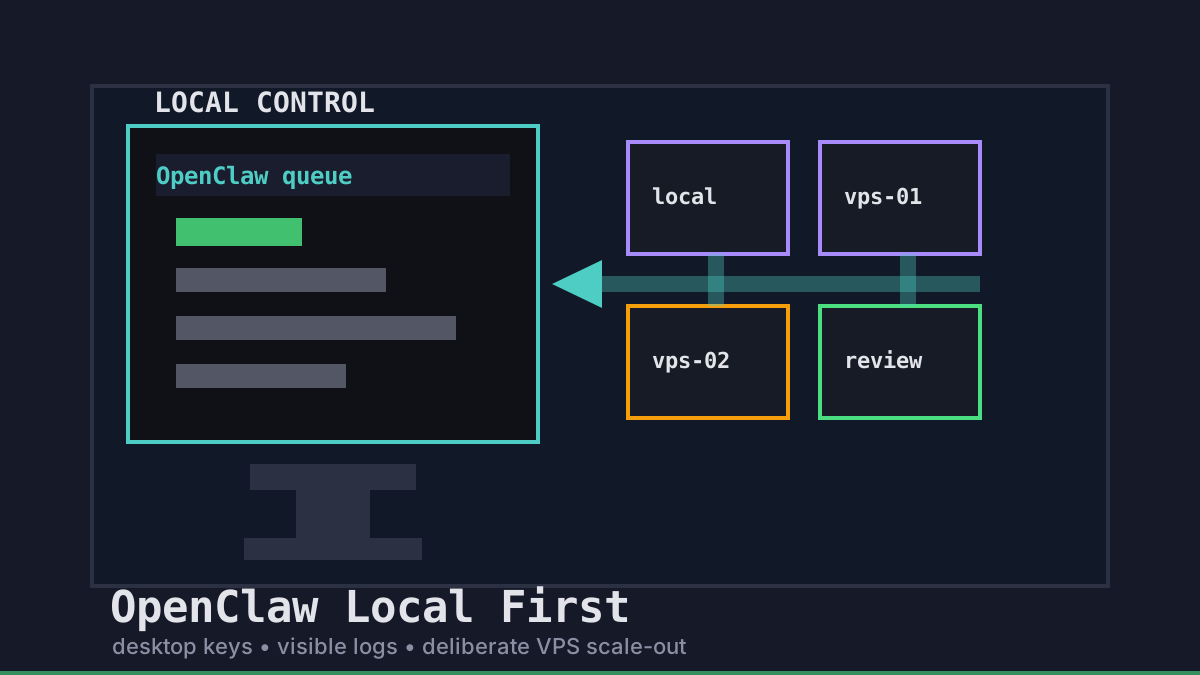
OpenClaw-style work is easiest to trust when the first control point stays local. We like starting agents from a desktop workflow, keeping secrets near the operator, and scaling to VPS runners only when the task genuinely needs more isolation, uptime, or parallelism.
Office Claws is not a native OpenClaw runtime. It is the practical operator layer for OpenClaw-adjacent teams that want visible queues, local key handling, Codex-backed execution when that is the right path, and remote runners that still feel reviewable. If you are comparing runtimes first, read OpenClaw vs Codex, then use this guide as the operating model.
Why OpenClaw Local First Beats Cloud First
A cloud-first agent setup can be convenient, but it often hides the boring details that decide whether a team keeps trusting the system: where tokens live, who can see logs, which branch owns the diff, and how quickly a human can stop runaway work.
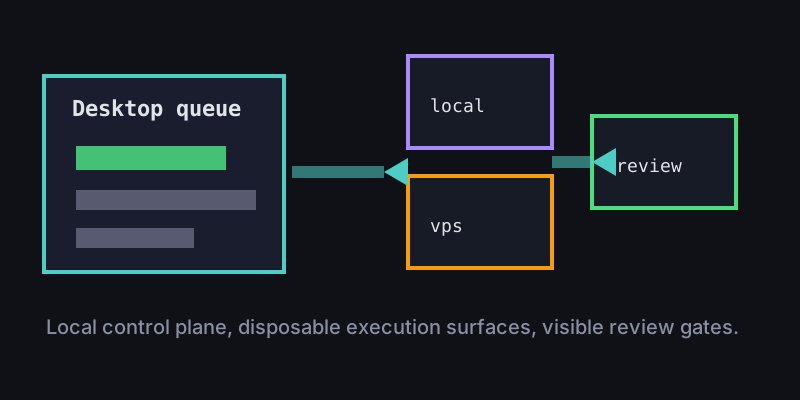
A local-first OpenClaw model reverses that default. The desktop is the command center. A task starts with visible intent, scoped access, and a known reviewer. Remote machines are treated as disposable execution surfaces, not as the source of truth.
| Decision | Local-first default | Cloud-first risk |
|---|---|---|
| Secrets | Keep provider keys near the operator | Spread .env files across runners |
| Logs | Watch task state from one desktop | Reconstruct context from remote shells |
| Branches | One task, one branch, one owner | Shared checkout drift |
| Cost | Start small, scale when needed | Always-on capacity |
| Review | Human merge gate stays visible | Automation feels finished too early |
Office Claws for OpenClaw users fits here because the desktop remains the place where work is queued, monitored, and reviewed. The runner can be local, Tailscale-connected, or a DigitalOcean VPS, but the operating contract stays the same.
The OpenClaw Local-First Contract
We use a small task contract before an agent touches the repository. It is not bureaucracy; it is the minimum context that makes autonomous coding safe enough to repeat.
task:
  owner: gleb
  goal: add-search-empty-state
  runtime: codex-backed-runner
  checkout: clean-branch
  allowed_paths:
    - website/src/app/**
    - website/content/**
  gates:
    - npm run build
    - pull_request_required
That contract travels with the work whether it runs locally or on a VPS. A local job might be enough for a small documentation update. A remote runner makes more sense for long-running builds, parallel branches, or risky dependency changes. The point is that scale-out is a deliberate choice, not the default place where every secret and checkout lives.
For the remote side of this pattern, pair this article with OpenClaw on VPS and OpenClaw remote runner architecture.
When to Move Work to a VPS Runner
Local first does not mean local only. It means the control plane stays local while execution moves when there is a clear reason.
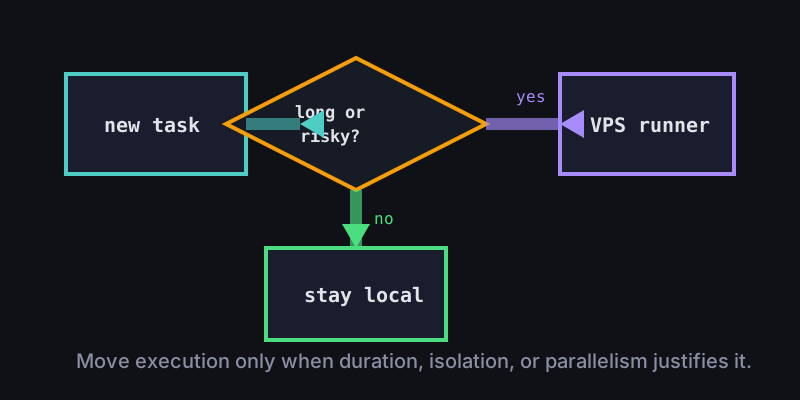
Use a VPS runner when the task needs:
- More time than your laptop session can safely provide.
- A clean machine for dependency or build changes.
- Parallel work without shared working trees.
- A stronger blast-radius boundary for untrusted code.
- Persistent logs while the human operator steps away.
Keep the local path when the task is small, review-heavy, or mostly editorial. The simplest successful runner is usually the safest one.
Recommended Office Claws Setup
A practical OpenClaw local-first setup looks like this:
- Start every request from the desktop queue.
- Keep provider keys and release credentials out of disposable runners by default.
- Use one isolated checkout and one branch per task.
- Send long or risky jobs to Tailscale-connected or DigitalOcean VPS runners.
- Require build output, commit hash, and review notes before merge.
- Use OpenClaw security best practices as the checklist for secrets, approvals, and logs.
This is the honest role for Office Claws: desktop management, VPS runner provisioning and monitoring, Codex-backed execution when it is the practical route, and safer local key handling. It does not ask teams to trust invisible automation. It gives them a local command center that can scale out without losing the human review gate.
Related Reading
- OpenClaw vs Codex — compare runtime and operations tradeoffs.
- Office Claws for OpenClaw users — the desktop manager layer.
- OpenClaw on VPS — when remote execution is worth it.
- OpenClaw security best practices — safer keys, isolation, and review gates.