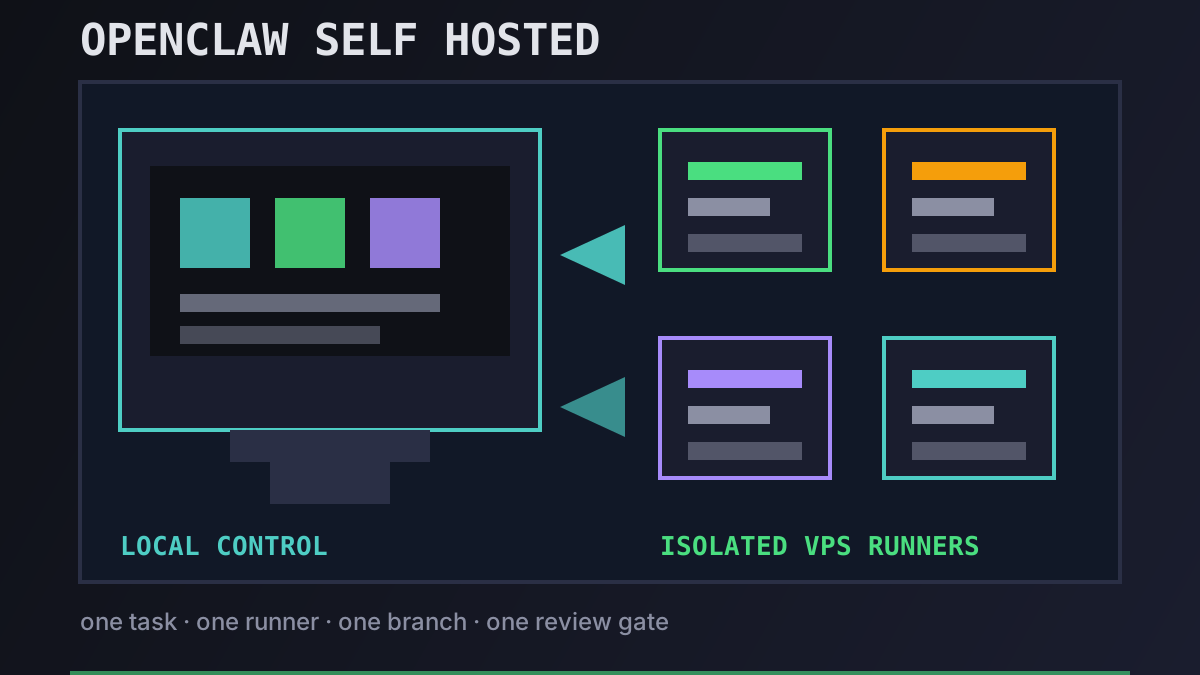
Self-hosting an OpenClaw-style workflow sounds simple: rent a VPS, install an agent, point it at a repo. The part that gets teams into trouble is everything around that loop — secrets, branches, logs, spend caps, and the recovery path when a long task wedges itself halfway through a migration.
This guide is the operating model we recommend for OpenClaw users who want more control without pretending Office Claws is a native OpenClaw runtime. Office Claws manages local desktop state and VPS runners for Codex-backed agents. If your OpenClaw workload is mostly repository work, that gives you the useful self-hosted shape: your keys stay local, each task gets an isolated runner, and every change still lands as a reviewable branch.
What “OpenClaw Self Hosted” Should Mean
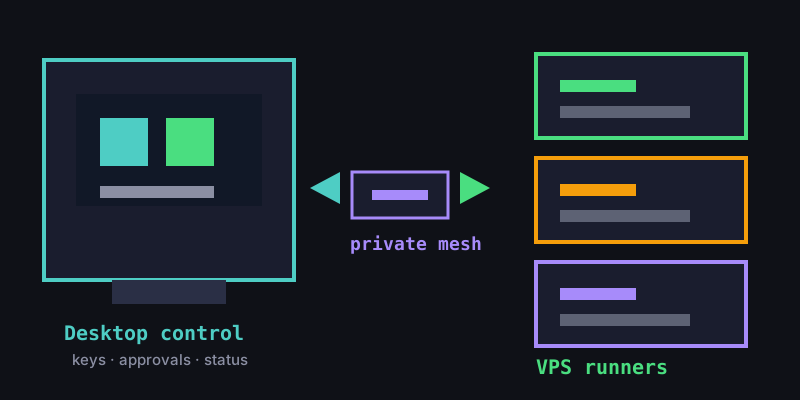
The safest definition is not “copy the hosted service onto one server.” It is a control-plane split.
| Layer | Keep it | Why it matters |
|---|---|---|
| Desktop control | Local machine | API tokens, SSH keys, approvals, and operator intent stay close to the developer |
| Agent execution | VPS runner | Long jobs survive laptop sleep and flaky Wi-Fi |
| Repository changes | Per-task branch | Review, CI, and rollback stay normal |
| Network access | Private mesh | SSH is not exposed directly to the public internet |
| Billing | Subscription + small VPS | Costs are predictable instead of every idle retry becoming an API surprise |
That model is different from running OpenClaw itself. We are not claiming Office Claws imports OpenClaw extensions, memory, or browser automations. We are describing a self-hosted workflow for OpenClaw users who mostly need autonomous coding work on durable machines. The OpenClaw vs Codex comparison is the better place to decide whether that trade is acceptable.
The Reference Architecture
A reliable self-hosted setup has four parts:
- Office Claws on the desktop for provisioning, approvals, status, and local key handling.
- A VPS per active runner on Contabo, DigitalOcean, Hetzner, or a provider you already trust.
- Tailscale or an equivalent private mesh so runners do not expose SSH to the internet.
- Codex CLI inside the runner for the repo-shaped execution path that many OpenClaw users need after a subscription or cost change.
The important habit is one task, one runner, one branch. Do not let three agents share a checkout because it feels efficient. That is how a cheap self-hosted experiment turns into mystery diffs and overwritten test output. The OpenClaw desktop manager guide explains why the UI leans so hard into visible runner state: if you cannot tell which agent owns which repo, you do not have an operations layer yet.
Setup Checklist
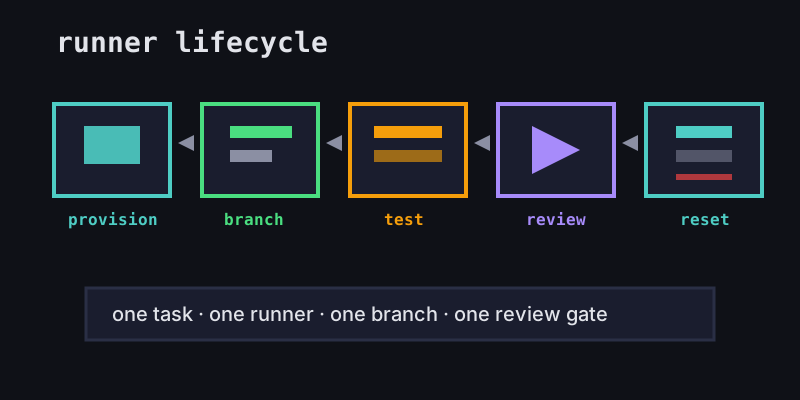
Start small. One runner is enough to prove the loop.
# target shape, not a magic installer
1. create a VPS from a known snapshot
2. join it to your private mesh
3. authenticate Codex CLI on the runner
4. clone one repo into one task workspace
5. create a branch before the agent edits files
6. run tests and push the branch
7. destroy or reset the runner when the task is done
For Office Claws users, the app handles the provisioning and status layer; you still own the repo permissions, GitHub review rules, and model account. The self-hosted plan is $4.99/mo for the desktop/VPS management layer, while a managed runner is $14.99/mo when you want less server ownership. Keep those numbers separate from your model subscription and VPS bill.
Before you hand the runner real work, check the boring controls:
- Scoped GitHub token: repo access only, no organization-wide admin token.
- No shared
.envsprawl: pass only the secrets the task needs. - Spend cap: set one at the VPS provider and one in your model-account workflow if available.
- CI gate: no direct deploy from an agent branch.
- Reset path: snapshot or rebuild should be faster than debugging a poisoned runner.
These are the same controls we recommend in the OpenClaw security best practices post. Self-hosting removes one vendor surface, but it adds responsibility; it does not magically make agent work safe.
Failure Modes to Design Around
Most self-hosted agent problems are predictable. Design for them before the first all-night run.
| Failure mode | Symptom | Guardrail |
|---|---|---|
| Shared workspace collisions | Two agents edit the same files | One runner and branch per task |
| Public SSH exposure | Random login attempts in logs | Private mesh only; close public SSH |
| Secret overreach | Agent can read unrelated credentials | Per-task env and scoped tokens |
| Silent wedge | Job stops after a prompt or failed test | Status checks, logs, and explicit stuck-agent recovery |
| Cost drift | Extra runners stay alive all weekend | Spend caps and runner cleanup |
The status layer matters more than people expect. A terminal multiplexer can keep a session alive, but it does not answer the operator questions: who owns this task, which branch did it push, did tests pass, and is it safe to delete the machine? That is why our OpenClaw-facing posts keep pointing back to Office Claws for OpenClaw users instead of pretending a bare VPS is enough.
Recommendation
If your OpenClaw work is mostly code, self-host the operations layer before you self-host everything. Keep approvals and credentials local. Run agents on private VPS runners. Use Codex-backed execution where it fits. Push every result through GitHub and CI like any other teammate’s branch.
If your OpenClaw work depends on native extensions, browser-heavy automations, or platform-specific flows, do not force it into this pattern. Keep OpenClaw for those jobs and use Office Claws for the repo-shaped work that benefits from cheaper durable runners.
The best self-hosted setup is boring on purpose: one task, one runner, one branch, one review gate. That is the point. Autonomous coding gets much easier to trust when the infrastructure refuses to be clever.