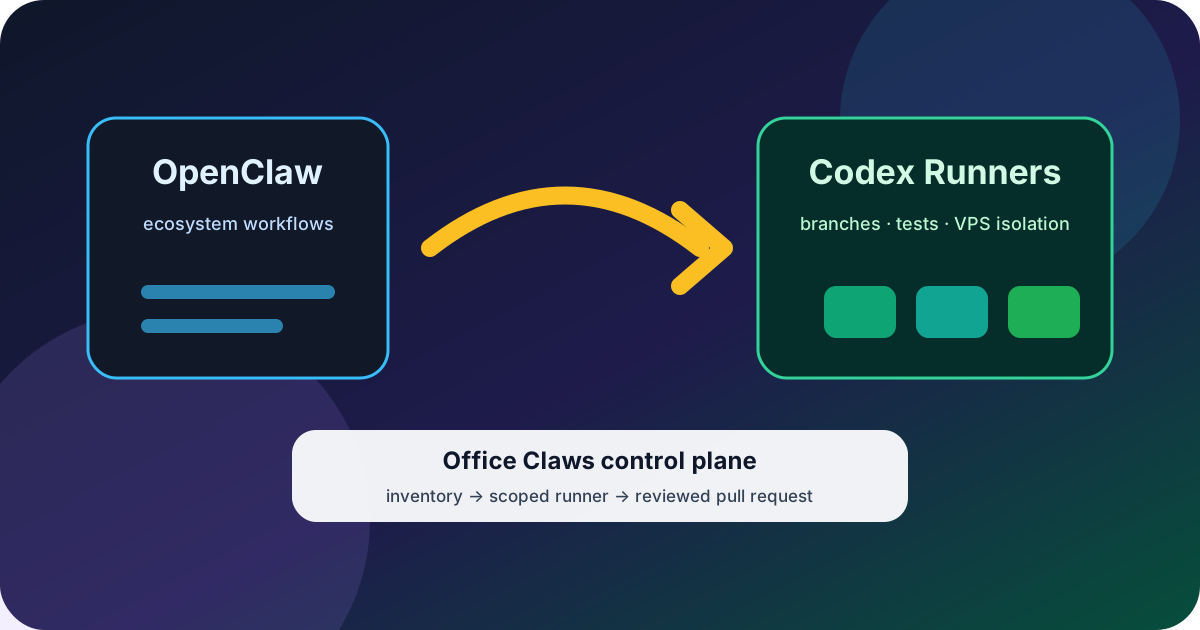
OpenClaw Codex migration should not start with uninstalling anything. It should start with a boring inventory: which workflows truly need the OpenClaw ecosystem, which ones are just long coding sessions, and which security controls must survive the move.
For most teams, the winning shape is mixed. Keep OpenClaw where OpenClaw-native tools, browser flows, or provider abstraction are load-bearing. Move repo-shaped coding work to Codex-backed runners when subscription economics, isolated VPS execution, and reviewable branches matter more. Office Claws is not a native OpenClaw runtime; it is the desktop and VPS manager OpenClaw users can use when they want Codex-backed agents with visible logs, scoped runners, and predictable operations.
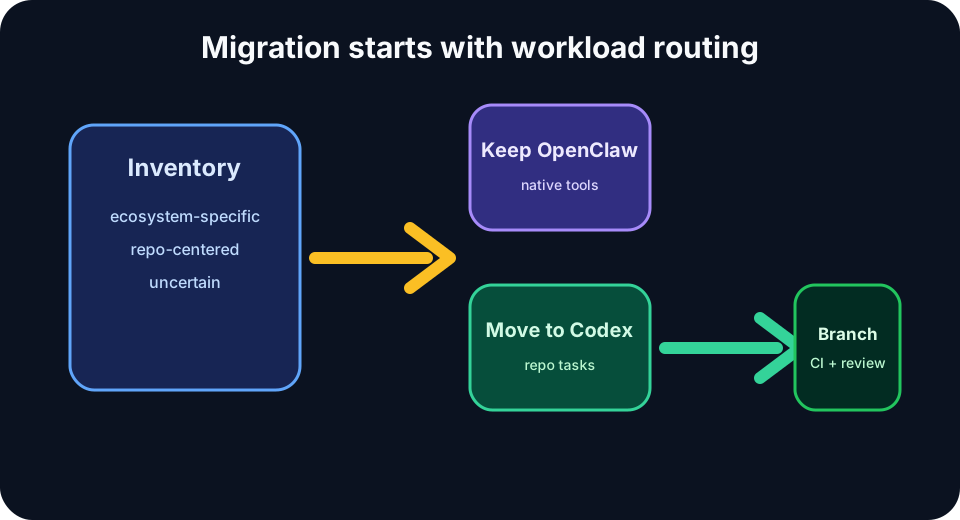
Start with a Workload Inventory
Do not migrate by vibe. Build a table before the first serious task moves.
| Workflow | Stay on OpenClaw when | Move to Codex when |
|---|---|---|
| Browser-heavy automation | OpenClaw-specific browser/tool behavior matters | It is only reading docs and editing repo files |
| Repository feature work | OpenClaw memory/tools are essential | The loop is edit, test, commit, PR |
| Long refactors | Multi-provider behavior is load-bearing | Flat subscription economics matter most |
| Team automation | API cost allocation is required | Branch review and VPS isolation are enough |
| Experimental agents | You are testing the OpenClaw ecosystem itself | You need cheap disposable runners |
This inventory is the difference between a migration and a tool swap. The OpenClaw vs Codex comparison is useful here because the question is not “which agent is better?” It is “which runtime fits this workflow’s constraints?”
The Reference Migration Architecture
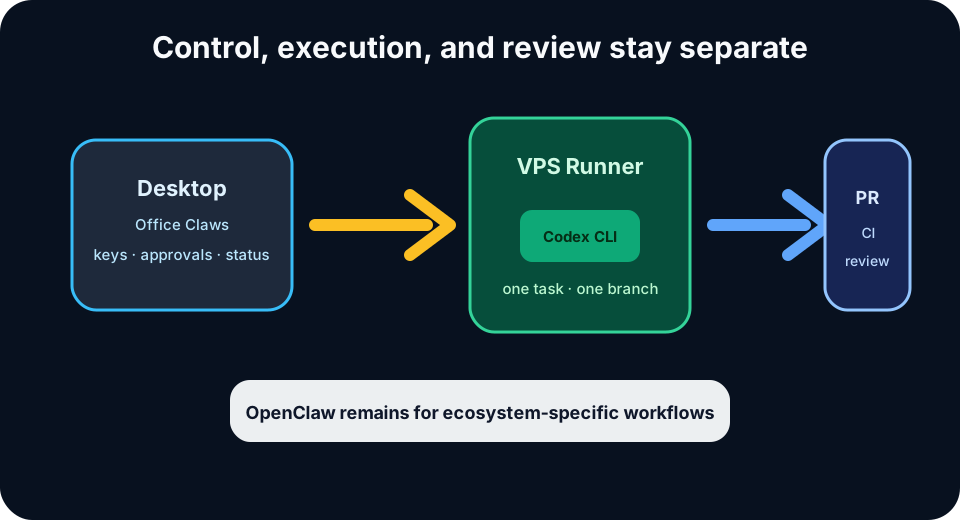
A safe OpenClaw Codex migration separates control, execution, and review.
- Desktop control plane: Office Claws keeps operator intent, runner status, approvals, and key handling close to the developer.
- Isolated VPS runner: each migrated task runs on a disposable or resettable machine instead of a shared laptop shell.
- Codex CLI execution: repo-shaped work runs through the Codex path that matches ChatGPT subscription economics.
- Git branch as contract: every task gets a branch, CI, review, and rollback path.
- OpenClaw retained where needed: OpenClaw-native workflows remain on OpenClaw with explicit budgets.
That last point matters. A mature migration does not need to prove OpenClaw wrong. It needs to stop using a broad agent framework for every long coding task if a narrower Codex runner is cheaper and easier to supervise.
Migration Checklist
Use this checklist for the first two weeks.
- List current OpenClaw workflows and tag each as ecosystem-specific, repo-centered, or uncertain.
- Keep ecosystem-specific workflows on OpenClaw and add API budget alerts if they use metered billing.
- Create one Codex runner for one low-risk repo task.
- Use a fresh branch and a scoped GitHub token; do not reuse an all-powerful personal token.
- Pass only the secrets needed for the task; avoid copying a shared
.envinto the runner. - Run tests before push and keep CI as the merge gate.
- Compare completion quality, wall-clock time, and cost after five to ten tasks.
- Only then move recurring OpenClaw coding workflows to Codex runners.
If you are also redesigning how runners are hosted, read the OpenClaw desktop manager guide and the OpenClaw on VPS guide. The management layer matters once more than one agent is running.
Cost and Risk Guardrails
The migration usually pays for itself when long coding sessions leave a token-metered path and land on a subscription-backed Codex workflow. But cost is not the only reason to move. The bigger operational win is blast-radius control.
| Guardrail | Why it matters during migration |
|---|---|
| One task, one runner | Prevents cross-task file and process contamination |
| Scoped tokens | Limits damage if an agent leaks or misuses credentials |
| Private networking | Keeps SSH and runner admin surfaces away from the public internet |
| CI-required merge | Stops successful-looking agent branches from bypassing tests |
| Runner reset | Makes recovery faster than forensic debugging |
These are the same habits we recommend in OpenClaw security best practices. Migration is a good moment to fix the sloppy parts of the old workflow instead of faithfully recreating them on a new runtime.
What Not to Migrate
Leave a workflow on OpenClaw when it depends on OpenClaw-specific tools, memory, multi-provider routing, or non-code automations. Codex is strong for software-engineering loops, but it is not a universal replacement for every OpenClaw agent shape.
Also avoid migrating everything in one weekend. Run both systems side by side. Keep the OpenClaw path for work where its ecosystem is the advantage. Use Codex-backed Office Claws runners where the work is branch-based, testable, and cost-sensitive.
The Practical Recommendation
Treat OpenClaw Codex migration as workload routing. OpenClaw remains the broad agent ecosystem. Codex is often the better execution path for long, repo-centered coding work. Office Claws sits in the operational middle: local desktop control, VPS runners, visible logs, and branches that your team can review before anything merges.
Start with one repo, one runner, and one measurable task. If the branch quality is good and the bill shape improves, expand. If an OpenClaw-native workflow gets worse after the move, put it back. A reversible migration is the safe migration.