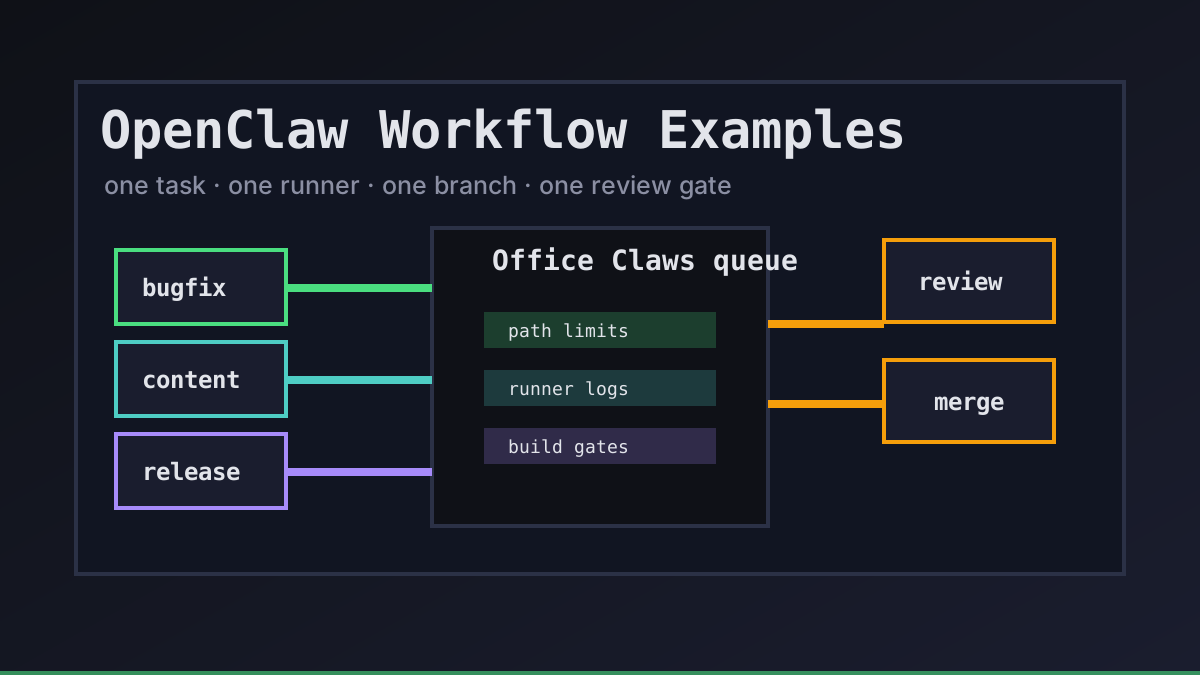
OpenClaw-style agents work best when the workflow is smaller than the ambition. We do not start with "go improve the product." We start with a clear lane, a clean branch, an isolated runner, and evidence a reviewer can trust.
Office Claws is not a native OpenClaw runtime. It is the desktop and VPS operating layer we use for OpenClaw-adjacent, Codex-backed work: queue the job, isolate the runner, watch the logs, keep secrets narrow, and make the final diff reviewable. If you are choosing the runtime first, read OpenClaw vs Codex, then use these examples as operating patterns.
The Workflow Template
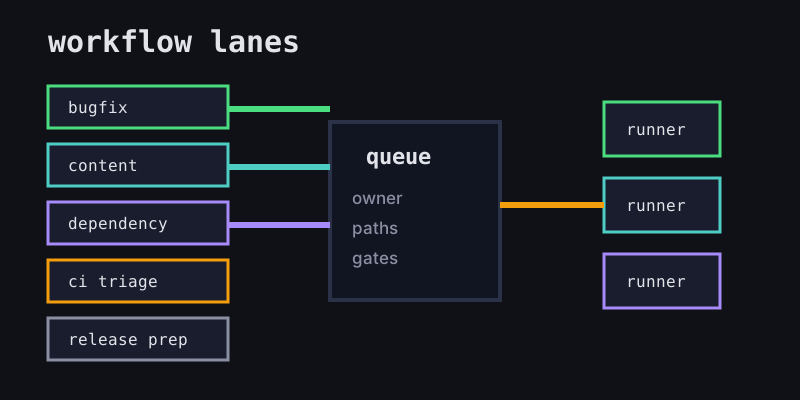
Every useful OpenClaw workflow starts with the same small contract. It tells the agent what success means and tells the human what to review.
| Field | Good example | Risky example |
|---|---|---|
| Goal | fix empty dashboard state copy | make dashboard better |
| Allowed paths | website/src/app/**, website/content/** | whole repository |
| Runner | one local or VPS runner | shared shell with old state |
| Branch | agent/dashboard-empty-state | direct edits on main |
| Gate | npm run build and screenshot | "looks fine" |
That contract is where Office Claws for OpenClaw users helps: the work is visible from one control surface, while the actual execution can happen on local or VPS machines. For remote execution details, pair this with the OpenClaw remote runner architecture guide.
Five Practical Examples
1. Small bug fix
Use this when the task is narrow and the expected files are obvious.
workflow: small-bugfix
owner: frontend-oncall
allowed_paths:
  - website/src/app/**
branch: agent/fix-empty-dashboard-state
gates:
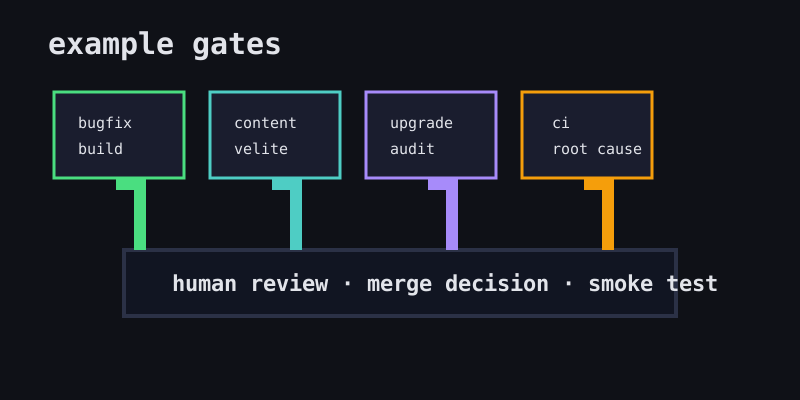
  - npm run build
  - human-review
The agent gets room to inspect nearby code, but not permission to refactor the application. If the bug turns out to be deeper, the right result is a note and a new task, not a surprise rewrite.
2. Documentation or blog update
Content work is a good early OpenClaw workflow because the blast radius is small and validation is cheap.
workflow: content-update
owner: marketing
allowed_paths:
  - website/content/**
  - website/public/blog/**
gates:
  - npx velite build
  - npm run build
For Office Claws, this pattern keeps generated articles, translations, and SVG assets on a normal branch. The reviewer checks the copy, schema output, and final page build before merge.
3. Dependency upgrade
Upgrades need tighter gates because agents can make tests pass while hiding behavior changes.
workflow: dependency-upgrade
owner: platform
allowed_paths:
  - package.json
  - package-lock.json
  - website/package.json
  - website/package-lock.json
gates:
  - npm audit --omit=dev
  - npm run build
  - changelog-note
Keep one upgrade family per task. Ask the agent to summarize lockfile changes and link the upstream release notes. If the package affects authentication, deployment, or billing, require human review before any production deploy.
4. CI failure triage
This workflow is for turning a red build into a small diagnosis branch.
workflow: ci-triage
owner: repo-maintainer
inputs:
  - failing_job_url
  - last_green_commit
allowed_paths:
  - .github/workflows/**
  - website/**
gates:
  - reproduce-failure-locally
  - explain-root-cause
  - minimal-fix-commit
The useful output is not just a green check. It is the explanation: what failed, why it failed now, what changed, and which files were intentionally left alone.
5. Release preparation
Release prep is where we slow down. Agents can gather evidence, update notes, and prepare branches, but humans should keep the final production decision.
workflow: release-prep
owner: release-manager
allowed_paths:
  - RELEASE.md
  - WEB_RELEASE_PLAN.md
  - website/content/**
gates:
  - local-build
  - diff-summary
  - explicit-human-merge
  - production-smoke-test
Office Claws works well here because long-running runners can continue collecting logs while the human reviews. The important boundary is simple: the agent prepares the release; the human owns the release.
Choosing the Right Runner
The workflow should decide the runner, not the other way around.
| Workflow | Recommended runner | Why |
|---|---|---|
| Copy fix | local or small VPS | quick validation, low risk |
| Content batch | VPS runner | durable build, clean environment |
| Dependency upgrade | fresh VPS snapshot | avoids local cache pollution |
| CI triage | runner matching CI | reproduces environment failures |
| Release prep | isolated VPS | keeps credentials and logs contained |
A strong OpenClaw workflow has one runner per task and one branch per runner. That gives you clean logs, clean diffs, and clean rollback. The OpenClaw sandbox checklist covers the isolation side in more detail.
Recommended Office Claws Setup
Start with three lanes instead of trying to model every possible task:
- Content lane: low-risk docs, blog, and website copy with
npx velite buildandnpm run buildgates. - Code lane: bug fixes and small features with path limits, tests, and PR review.
- Ops lane: CI, dependency, and release tasks with stricter secrets and human approval.
That is enough structure for autonomous coding to become boringly useful. OpenClaw-style workflows stay fast, but Office Claws keeps the queue, runner, logs, branch, and review gate visible so the team can trust what changed before it ships.
Related Reading
- OpenClaw vs Codex — compare runtime and operating tradeoffs.
- Office Claws for OpenClaw users — desktop management for local and VPS runners.
- OpenClaw remote runner architecture — isolate tasks on remote machines.
- OpenClaw sandbox — reduce blast radius before agents touch real repos.