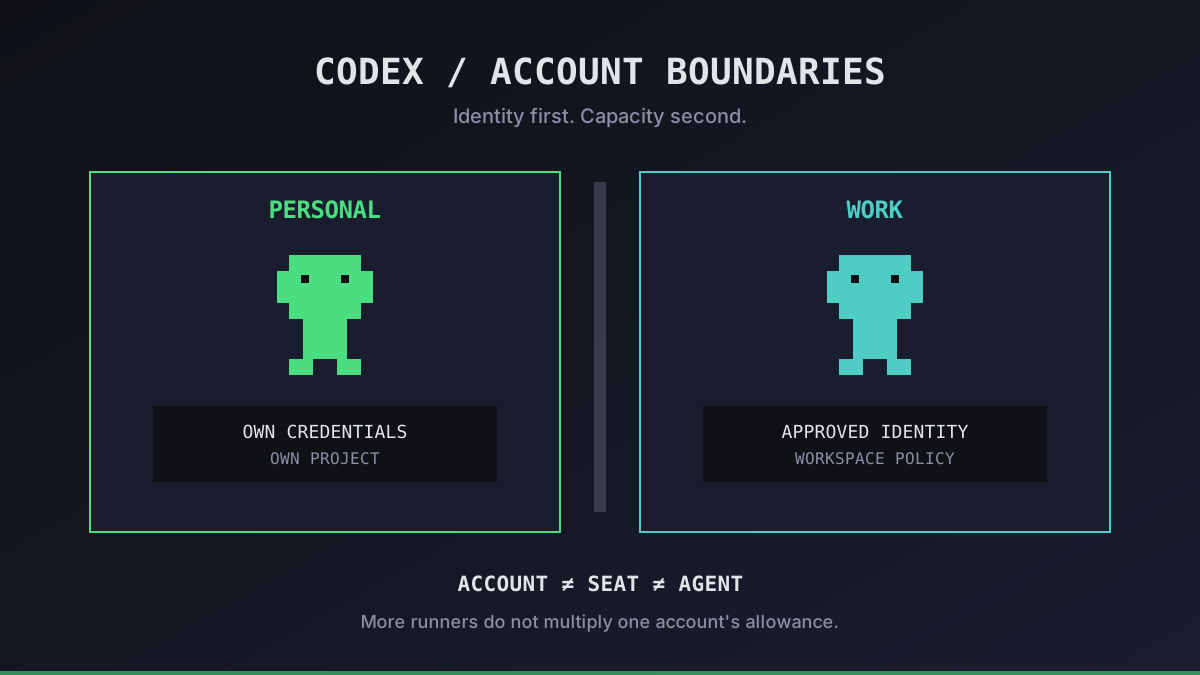
Two Codex terminals do not mean two subscriptions. A second VPS does not create another allowance. And a work account is not just a spare login when a personal account runs out.
We separate three questions before adding agents: who owns the identity, which workspace is authorized for the code, and where the credentials live. This guide covers that identity boundary; our parallel-agent setup covers the execution side.
Codex Multiple Accounts: When Separation Makes Sense
Multiple accounts are an identity decision, not a scaling trick. A developer may need a personal identity for their own projects and an employer-provided identity for company work. A team needs individually assigned access under its workspace policy, not a shared password passed between developers.
| Situation | Starting point | What to check |
|---|---|---|
| One person, several agents | The person's authorized account | Shared usage and the current plan's limits |
| Personal and employer projects | Separate authorized environments | Correct account, workspace and repository access |
| Several human developers | Individual seats or approved access | Workspace membership, permissions and offboarding |
| Private CI or batch jobs | An approved automation identity | Supported authentication, budget and secret storage |
An account, a workspace seat and an agent process are different things. Do not assume every agent needs a paid seat, or that one seat lets several people share credentials. Check the current plan terms and your organization's rules before buying anything.
Office Claws gives each Codex agent its own VPS in your Contabo account. That helps separate runner state; it does not grant additional Codex entitlements or replace workspace permissions. The Self-Hosted plan starts at $4.99/month for the first agent, with VPS and ChatGPT costs separate. See the operating-cost breakdown.
Run your first agent in about 3 minutes
Install the Office Claws CLI, connect your Contabo account and Codex subscription, and your agent gets its own VPS and a desk in the office.
curl -fsSL https://officeclaws.com/downloads/install.sh | sh$4.99/mo + your own Contabo VPS · keys stay in your keychain
Keep Credentials With the Authorized Environment
OpenAI's authentication documentation says the CLI and IDE extension share cached credentials. Depending on configuration, credentials live in the operating system's credential store or in an authentication file under the Codex home directory. Switching a login in a shared environment can therefore affect another client using that cache.
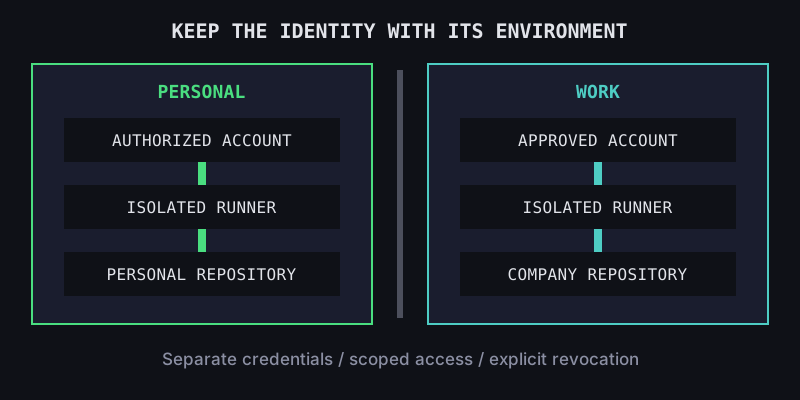
For a personal/work boundary, we prefer separate OS users or separate hosts, each with its own home directory, credential store and repository checkout. A different terminal tab or Git branch is not an identity boundary. Separate configuration directories alone are not a sandbox either: processes under the same OS user may still read each other's files.
Before starting work on each environment, inspect authentication locally:
codex login statusThen confirm the account and workspace in the relevant sign-in or account interface, and check the repository remote. Login status alone does not prove that an identity has permission to process a particular repository.
- Complete sign-in only for an account you are authorized to use.
- Do not copy authentication files between personal and company runners.
- Treat cached tokens like passwords: never commit them or paste them into tickets, logs or chat.
- Keep repository credentials scoped to the required project, separately from Codex authentication.
- On offboarding or a suspected leak, revoke access through the relevant account and workspace controls; deleting a checkout is not revocation.
For a remote runner, use the VPS setup guide and SSH workflow. Keep your organization's authentication requirements intact.
More Subscriptions Do Not Fix Every Capacity Problem
Several agents signed in to one account consume that account's available usage. Another machine does not multiply it. Limits and features can change, so check the official Codex pricing page and your usage view rather than assuming a fixed number of uninterrupted agent-hours.
We diagnose the constraint before spending more:
- Usage is exhausted: wait for the applicable reset, reduce task scope, or use an officially offered plan or credit option. Do not rotate accounts to evade restrictions.
- Agents overwrite files: isolate checkouts and branches. Buying another subscription will not repair a shared working tree.
- Work belongs to different organizations: use each organization's approved identity and environment, even if a personal account has spare usage.
- Automation needs separate billing: evaluate an approved API-based workflow. API-key usage is billed separately from ChatGPT subscriptions and has its own limits and data-handling settings. This is a general Codex option, not a claim that Office Claws supports every authentication mode.
Our subscription guide explains plan choices; subscription versus API cost covers the billing distinction. Neither a new account nor a fresh VPS removes review, approval or provider-policy requirements.
Our Recommended Account Checklist
Before launching another runner, record its owner, approved workspace, repository scope, authentication method and revocation path. Record identifiers, not secrets. If you cannot name the owner or explain why it may access the code, do not connect it.
For one developer, start with one authorized account and measure actual usage. For a team, prioritize individual access and reliable offboarding. For personal and company work, separate environments before signing in. Add capacity only after you know whether the bottleneck is usage, compute or conflicting edits.
Office Claws manages Codex-backed VPS runners and makes them visible in a pixel office. Account ownership, workspace authorization and subscription eligibility still belong to you and your organization. That is the boundary we keep explicit.