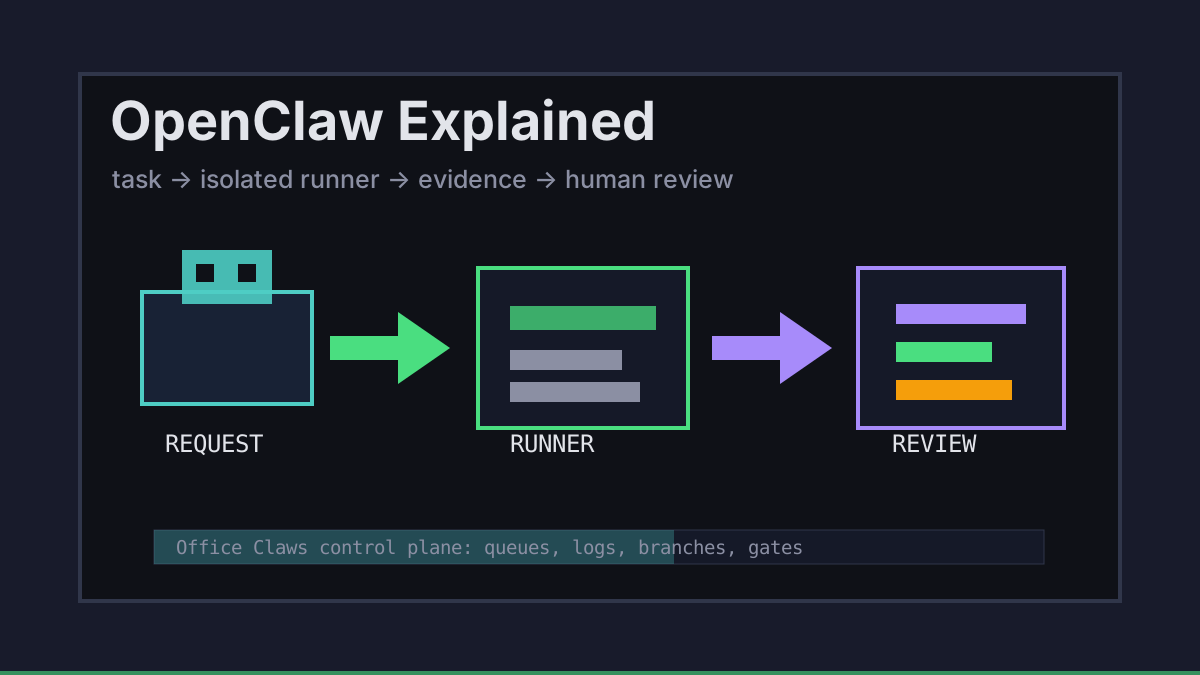
OpenClaw is easiest to understand as an operating pattern for autonomous coding work: give an agent a task, let it use tools, keep its workspace isolated, and require evidence before anything merges. The idea is exciting, but the practical questions are less glamorous: where does the agent run, who owns the branch, how are secrets protected, and what happens when it gets stuck?
Office Claws is not a native OpenClaw runtime. We build the desktop and VPS control layer around the same needs: visible queues, local key handling, remote runners, logs, and Codex-backed execution when that is the practical path. If you are comparing runtimes first, start with OpenClaw vs Codex; this guide explains the operating model.
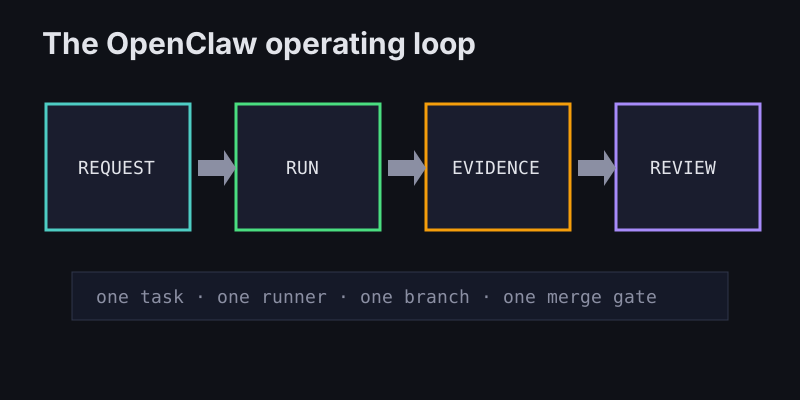
OpenClaw Explained in One Loop
A useful OpenClaw workflow is not magic. It is a loop with ownership at every step:
| Step | What happens | Control that matters |
|---|---|---|
| Request | A human describes the change and constraints | scope, owner, allowed repo paths |
| Run | An agent works in a local or VPS workspace | isolation, logs, timeout, cost limit |
| Evidence | The agent reports files changed and validations run | tests, build output, risk notes |
| Review | A human or reviewer agent inspects the diff | PR gate, security check, merge decision |
That loop keeps the agent useful without pretending it should own production. Office Claws for OpenClaw users focuses on the control plane around the loop: launch the work, watch the runner, keep logs visible, and make the handoff reviewable.
Local Desktop vs Remote Runners
Local agents are convenient for small changes because they can use the repository already on your machine. Remote runners are better when the task is long, risky, or parallel. The safest setup is usually mixed: keep approvals and secrets close to the desktop, then let disposable VPS workers do the noisy build and edit work.
task: add-settings-empty-state
owner: product-engineering
runtime: codex-backed-runner
runner: vps-small-02
branch: agent/settings-empty-state
allowed_paths:
  - frontend/**
  - website/content/**
gates:
  - npm run build
  - pull_request_required
For the infrastructure version of this pattern, read OpenClaw on VPS and OpenClaw remote runner architecture. The important point is not where the model lives. The important point is that every task has one runner, one branch, and one visible trail.
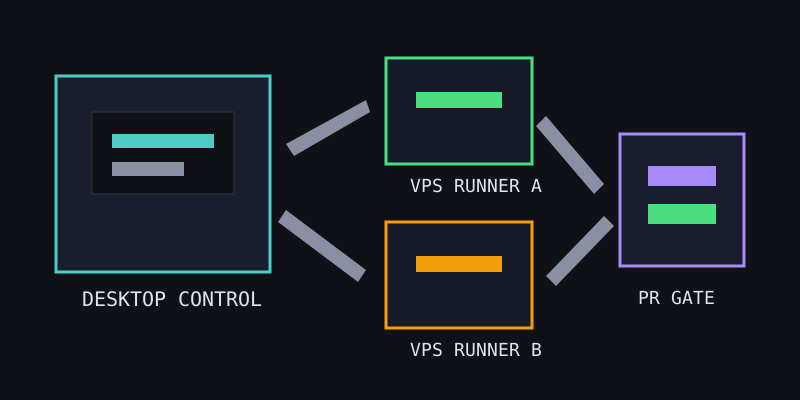
What Office Claws Adds Around OpenClaw-Style Work
The risky part of agent work is the empty space between “start” and “done.” Terminal panes disappear. SSH sessions stale. Agents drift into unrelated files. Costs grow quietly. Office Claws is designed to make that middle visible.
A practical setup should include:
- A desktop manager for starting and stopping work deliberately.
- One isolated workspace per task, especially on VPS machines.
- Local handling for provider keys where possible.
- Logs and status checks that show stalls, loops, and failures.
- Git branches and PRs as the merge boundary.
- Production deploy credentials outside normal agent runners.
That is why we frame Office Claws as the operator layer, not as a claim to own OpenClaw itself. The OpenClaw desktop manager page shows the product side; OpenClaw security best practices covers the guardrails.
A Beginner Checklist for Safer Agent Work
Before running a real task, use this checklist:
| Question | Good default |
|---|---|
| Can the task be described in one paragraph? | If not, split it. |
| Does it have allowed paths? | Start narrow and widen only when needed. |
| Does it have a branch name? | Never let agent work hide on main. |
| Are secrets required? | Prefer scoped tokens and no deploy keys. |
| Is there a validation command? | Build, test, lint, or direct inspection. |
| Who merges? | A human with the diff open. |
OpenClaw-style work is strongest when it looks boring from the outside: clear request, isolated runner, visible output, reviewable diff. That is the foundation before multi-agent workflows, monitoring, or cost optimization.
What's Next
If you are new, read what is OpenClaw for the broader primer, then compare OpenClaw vs Codex. If you are ready to operate agents on real repositories, Office Claws gives OpenClaw-adjacent teams a desktop/VPS manager, Codex-backed execution path, safer local key handling, and review gates that keep humans in charge.