Why the OpenClaw Subscription Model Needs an Operating Plan
The OpenClaw subscription model is attractive because it turns autonomous coding into a predictable line item. A team can budget one plan, start agents quickly, and avoid building the whole control plane on day one. The risk is that a subscription can hide the real operating cost: long-running tasks, duplicated attempts, broad repository access, review time, and emergency migration work when a plan limit or procurement rule gets in the way.
Office Claws is not a native OpenClaw runtime. The honest use case is operational: use Office Claws for OpenClaw users as the desktop/VPS layer around Codex-backed agents, branches, logs, and review gates. If you are comparing runtimes first, start with OpenClaw vs Codex, then use this article to decide how subscription-style agent work should be governed.
The Four Costs Hidden Behind a Flat Plan
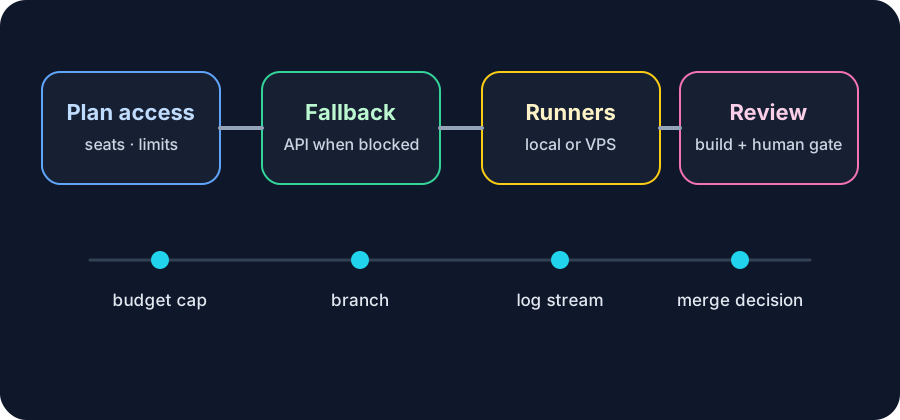
A flat subscription is only one part of the bill. The operating model should track four separate costs so the team knows when a subscription is still the right path and when a Codex-backed or VPS-managed workflow is safer.
| Cost area | What to measure | Control to add |
|---|---|---|
| Plan access | seats, usage limits, blocked regions, procurement rules | one documented fallback path |
| Agent runtime | task duration, retries, parallel agents | one runner and one branch per task |
| Review load | PR size, risky files, skipped tests | required summary and validation output |
| Infrastructure | VPS hours, storage, logs, previews | teardown rules and budget caps |
The key is not to avoid subscriptions. The key is to avoid pretending the subscription owns every operational problem. A flat plan helps only when tasks finish cleanly, limits are clear, and humans can still audit the work.
When a Subscription Is the Best Fit
Use subscription-style access when the work is exploratory, the repository is small enough to review quickly, and the team values simple onboarding more than fine-grained cost attribution. It is especially useful for one developer learning the workflow or a small team running a few guided tasks each day.
A good subscription-backed task should look boring:
task: refresh-settings-empty-state
scope: frontend copy and tests only
branch: agent/settings-empty-state
runtime_budget: 30 minutes
required_gates:
  - npm run build
  - human review before merge
fallback: codex-backed Office Claws runner
If the fallback is written down before the task starts, a blocked subscription is an interruption, not a crisis. The migration path in OpenClaw without Anthropic subscription is useful when plan access becomes unreliable.
When API and VPS Economics Win
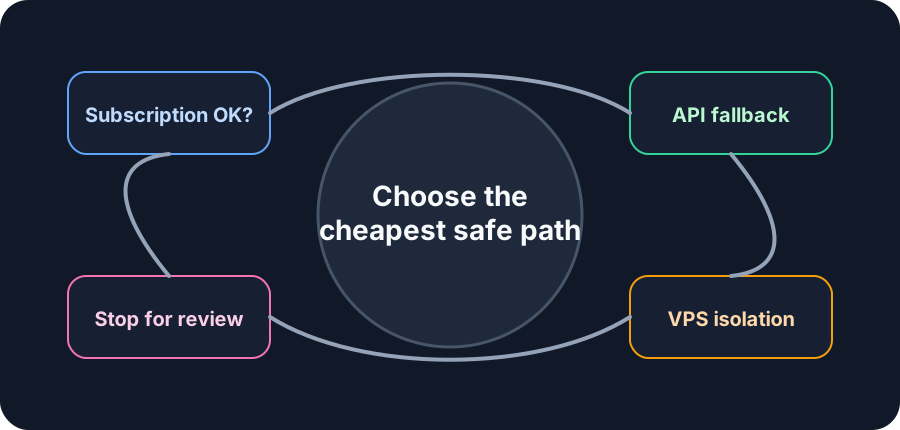
API-backed agents and VPS runners are usually better when tasks run for hours, need isolation, or require clear per-project accounting. This is where Office Claws fits well: local desktop control, visible logs, per-task workdirs, and Codex-backed execution when that is the practical runtime.
Use API/VPS execution when you need:
- A separate runner for each risky task.
- Branches and logs that survive beyond the terminal session.
- Per-client, per-repo, or per-team cost tracking.
- A fallback when subscription access is blocked or capped.
- Review gates before any deploy credential is reachable.
For the architecture side, pair this with OpenClaw on VPS and OpenClaw background tasks. Those patterns make long-running work visible instead of hiding it inside one busy subscription session.
A Practical Budget Policy
A simple policy beats a perfect spreadsheet. For every agent task, record the expected runtime, allowed paths, validation command, and stop condition. If the task crosses the stop condition, pause it and open a review instead of letting the agent keep spending.
| Task type | Default budget | Stop condition |
|---|---|---|
| Copy/content change | 20-40 minutes | build fails twice or scope expands |
| Bug fix | 45-90 minutes | touches auth, billing, or migrations unexpectedly |
| Refactor | 2-4 hours | diff exceeds the agreed path list |
| Release/deploy work | human-controlled | never auto-merge or deploy without review |
Office Claws for OpenClaw users makes this easier because the budget, branch, runner, and log stream live in one visible operating layer. The OpenClaw desktop manager guide shows the product framing; OpenClaw security best practices covers the isolation rules.
Recommended Model
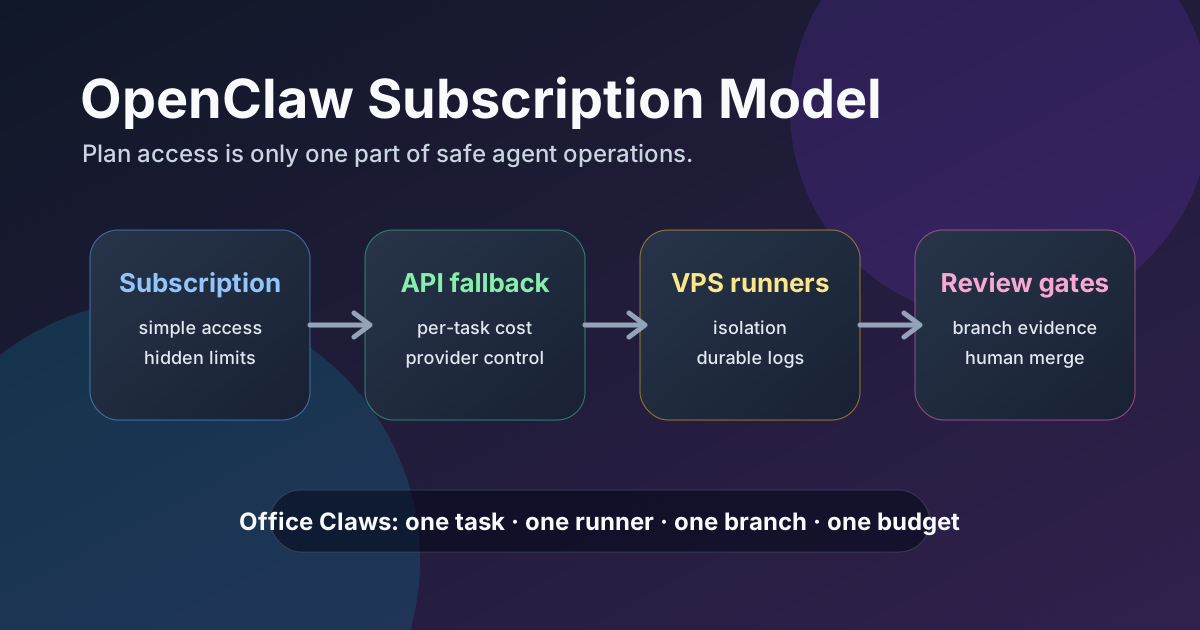
Treat the OpenClaw subscription model as the front door, not the whole building. Start simple when a subscription is available and the task is low risk. Move to Codex-backed Office Claws runners when work needs isolation, cost attribution, long-running logs, or a safe migration path.
The best operating rule is clear: one task, one runner, one branch, one budget, one review gate. Whether the initial access is subscription-based or API-backed, that rule keeps autonomous coding work accountable enough to use every day.
Related Reading
- OpenClaw vs Codex — choose the runtime and operating tradeoffs.
- Office Claws for OpenClaw users — manage local and VPS agent work.
- OpenClaw cost comparison — compare subscription, API, and VPS economics.
- OpenClaw security best practices — keep secrets and runners isolated.