Why OpenClaw Agent Orchestration Needs an Operator Layer
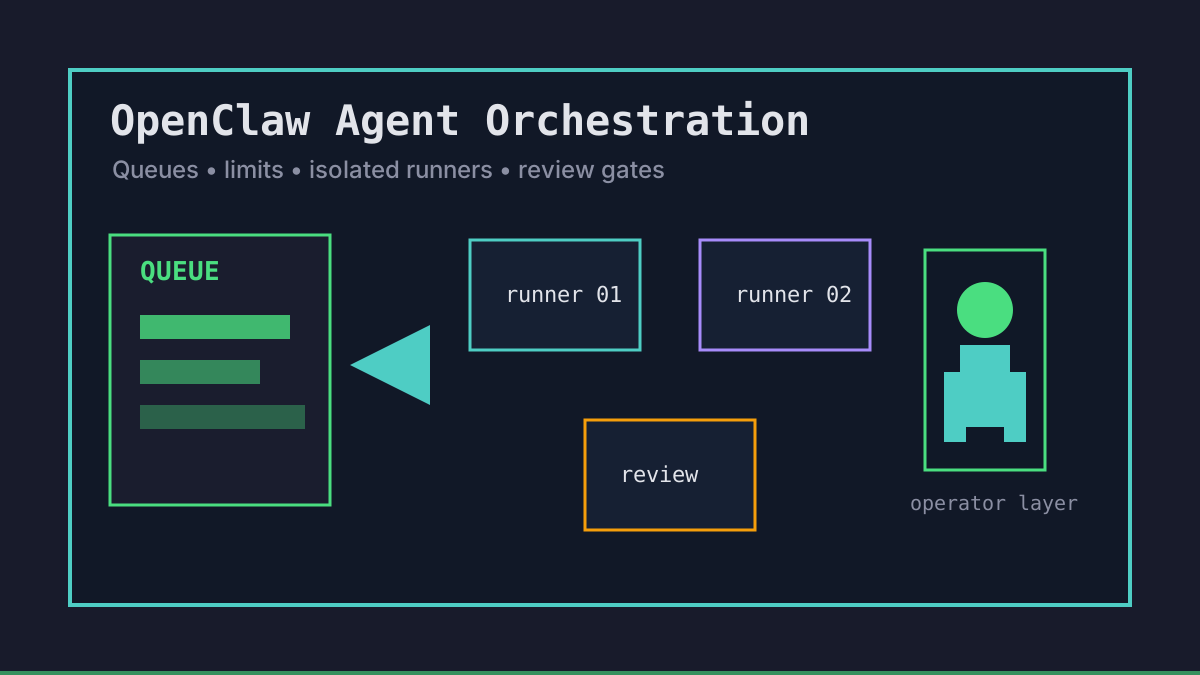
OpenClaw-style workflows become useful when agents can run beyond one terminal. They become risky when nobody can answer which task is active, which runner owns it, how much budget remains, or what happens when a job stalls. Agent orchestration is the boring control layer that keeps autonomous coding reviewable.
Office Claws is not a native OpenClaw runtime. The safe framing is operational: use Office Claws for OpenClaw users as a desktop and VPS manager for Codex-backed runners, isolated branches, live logs, and review gates. If you are still choosing the runtime, start with OpenClaw vs Codex, then design the orchestration layer around the runner you actually trust.
The OpenClaw Orchestration Model
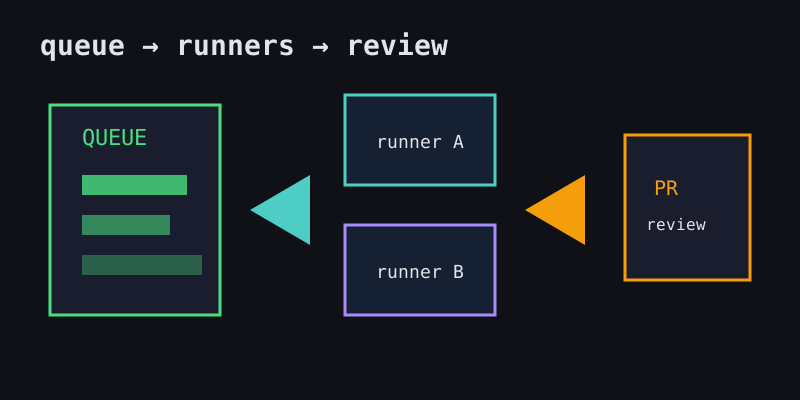
Good orchestration starts before the model receives a prompt. Each task should carry enough metadata that a human can pause, resume, or audit it without reading the entire transcript.
| Layer | What to define | Why it matters |
|---|---|---|
| Queue | priority, owner, repository, due window | avoids silent task pileups |
| Runner | local worktree, VPS, or isolated shell | keeps failures from spreading |
| Budget | time, tokens, command approvals | prevents expensive loops |
| Boundary | allowed paths and branch name | reduces diff sprawl |
| Gate | tests, CI, PR, human review | makes completion verifiable |
Office Claws for OpenClaw users fits here as the operator console: launch the work, assign a runner, stream status, and keep the final merge behind GitHub review. The product value is not pretending to own OpenClaw; it is making OpenClaw-adjacent work observable.
Queue Design for OpenClaw-Style Work
A queue should describe intent, not just store prompts. We like small task cards with an owner, a branch, and an explicit stop condition:
task: harden-login-rate-limit
repo: officeclaws/web
runner: vps-fra-02
branch: agent/harden-login-rate-limit
priority: medium
budget_minutes: 45
allowed_paths:
  - backend/auth/**
  - website/content/docs/security*.md
stop_when:
  - tests_pass
  - pr_opened
  - needs_human_decision
This shape lets the desktop layer sort work without guessing. It also gives reviewers a contract: if the agent touches billing code, deployment secrets, or unrelated UI files, the branch failed its orchestration boundary.
Limits, Budgets, and Recovery
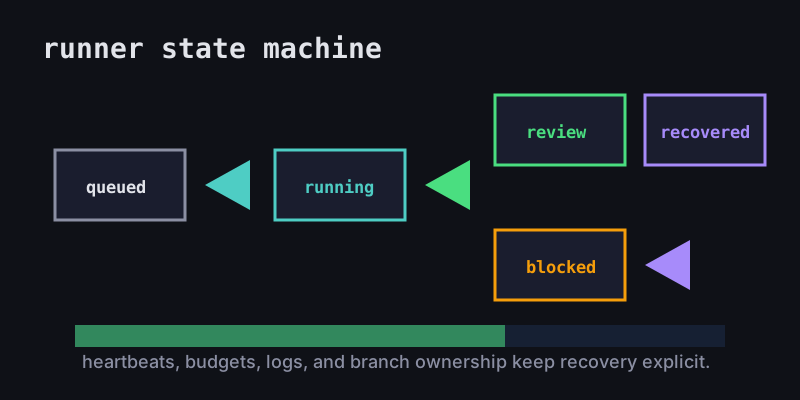
Orchestration without limits is just a prettier terminal. Set limits before launch so recovery is routine instead of dramatic.
| Failure mode | Limit to set | Recovery action |
|---|---|---|
| Repeating command loop | max runtime and log quiet timeout | pause, summarize, restart from clean commit |
| Token burn | per-task token budget | checkpoint and ask for a narrower plan |
| Diff sprawl | allowed paths and branch ownership | stop runner, split or discard branch |
| Secret request | local-only credentials policy | finish sensitive step manually |
| Runner crash | heartbeat and log capture | preserve worktree, rerun from last commit |
For monitoring details, use OpenClaw monitoring. For isolation boundaries, pair this with OpenClaw sandbox and OpenClaw on VPS.
Review Gates Beat Trust Falls
The final orchestration question is simple: what evidence proves the task is done? Require every agent to leave a trail:
- Branch and commit hash.
- Files changed and why.
- Validation output, including failures.
- Remaining risks or manual steps.
- PR or compare URL for review.
That trail is especially important for teams. OpenClaw-style autonomy should not bypass CI, security review, or release ownership. It should prepare smaller branches that humans can review faster. The OpenClaw GitHub workflow guide covers that handoff in more detail.
Recommended Office Claws Setup
Use this baseline for OpenClaw agent orchestration:
- Keep the queue on the desktop where owners can see it.
- Assign each task to one local or VPS runner.
- Use one branch and one log stream per task.
- Set runtime, token, and path budgets before launch.
- Push branches early and let CI become the neutral checkpoint.
- Keep provider keys and release credentials local whenever possible.
Office Claws helps run this model with desktop management, VPS runner provisioning, live monitoring, Codex-backed execution, and safer local key handling. For teams adopting OpenClaw-style workflows, that operator layer is what turns autonomous agents from hidden terminal sessions into controlled engineering work.
Related Reading
- OpenClaw vs Codex — compare runtime and operating models.
- Office Claws for OpenClaw users — desktop management for agent work.
- OpenClaw monitoring — logs, health checks, and stuck-agent recovery.
- OpenClaw parallel agents — scaling many task lanes safely.